Which dustproof port plug prevents sweat damage in iPhone 17 Pro workouts

A dustproof port plug prevents sweat damage by creating a physical barrier that blocks moisture from entering the iPhone 17 Pro's charging port. This protection is essential during workouts, where sweat can corrode electronic components and lead to costly repairs.
On this page (7 sections)
Part of our guide on case for spin bike drops
Fast facts
- Plug Material
- Silicone or rubber is ideal for flexibility and sealing.
- Installation
- Insert the plug into the charging port and apply slight pressure until it is fully seated.
- Maintenance
- Remove and clean the plug regularly to prevent the accumulation of debris or moisture.
Remember this
- Dustproof port plugs act as a physical barrier against sweat and moisture.
- Regular cleaning and maintenance of the plug are necessary to ensure effective protection.
- Plugs should be compatible with the specific dimensions of the iPhone 17 Pro port for a secure fit.
Dust proof port plug: how sweat reaches iPhone 17 Pro ports
Sweat is not plain water. It carries salt, lactate and urea, and the salt load climbs with how hard you train. Heavy sessions can put 1 to 2 grams of sodium chloride into a litre of sweat. That concentration moves current across a connector pin and starts corrosion inside a port that stays damp for hours.
Corrosion shows up well before charging fails. Shine a flashlight into the port and you may see white or greenish residue on the inner walls. Wipe it and the pins look dull or pitted rather than bright. Intermittent charging and a charge that stops when the cable shifts point at the same problem.
Charging a damp port makes it worse. The liquid detection circuit cuts power and warns you, but moisture already sits on the contacts. Never force a cable into a wet port. Dry it first, then charge. Sweat also runs down the back of the phone into the port, so a bare phone on a gym bench gets wet from both sides.
The phone's own rating does not cover this. IP68 means fresh water, tested before any case or screen film goes on. Sweat carries no ingress rating at all. Keep the port dry yourself and the rating never gets tested. It helps to understand magnet alignment and camera bump clearance before going further.
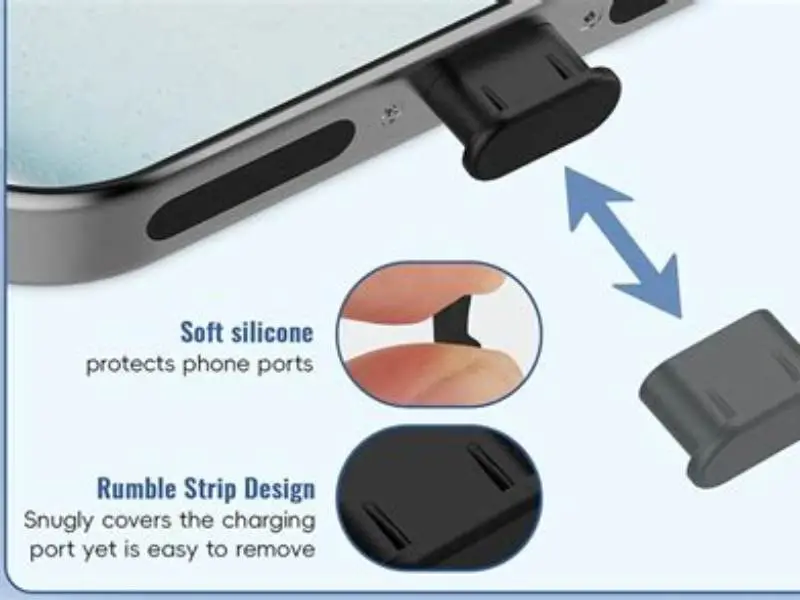
A dust proof port plug closes that gap. It seats in the port opening and stops moisture reaching the contacts, so the salt never gets a chance to crystallise there. Cheap next to a port board replacement. That is the whole argument.
- Power the phone off and unplug any cable.
- Wipe the inside of the port with a dry lint-free cloth or cotton swab.
- Wait at least 30 minutes, or blow gently with a low-pressure air stream.
- Charge only when the port looks and feels dry. Push the plug in after the session.
What Features Make a Port Plug Sweat-Resistant
A sweat-resistant port plug is characterized by its material composition and design. Typically made from high-quality silicone or rubber, these plugs are non-porous and water-resistant, effectively blocking the passage of moisture. The design usually includes a tapered shape that fits snugly into the port, creating an airtight seal that prevents sweat from seeping into the device.
Material hardness decides how a plug behaves in heat. Soft silicone around Shore 60A compresses easily and grips a tight port. Firmer silicone near 70A keeps its shape on a warm phone and survives a gym bag. If the listing gives no durometer figure, assume a thin, soft moulding. It helps to understand keeping phones secure during exercise before going further.
Shape does more than material. Look for a flange or lip that sits outside the port, so sweat wicks onto the plug instead of into the gap. A hollow core keeps the plug off the contacts, so nothing gets pushed into the port when you pull it out. A tether matters too, since a loose plug disappears down a gym bag.
Check what you avoid. Open cell foam drinks sweat and spreads it. Adhesive backs pull lint from your pocket onto the port. Spring contacts can scratch the pins and leave a metal sliver inside. Tacky silicone means cheap filler, and it turns gummy within months. Sunscreen and lotion are the other problem, since oil coats the plug and lets moisture sit on top.
Compatibility with iPhone 17 Pro Port Dimensions
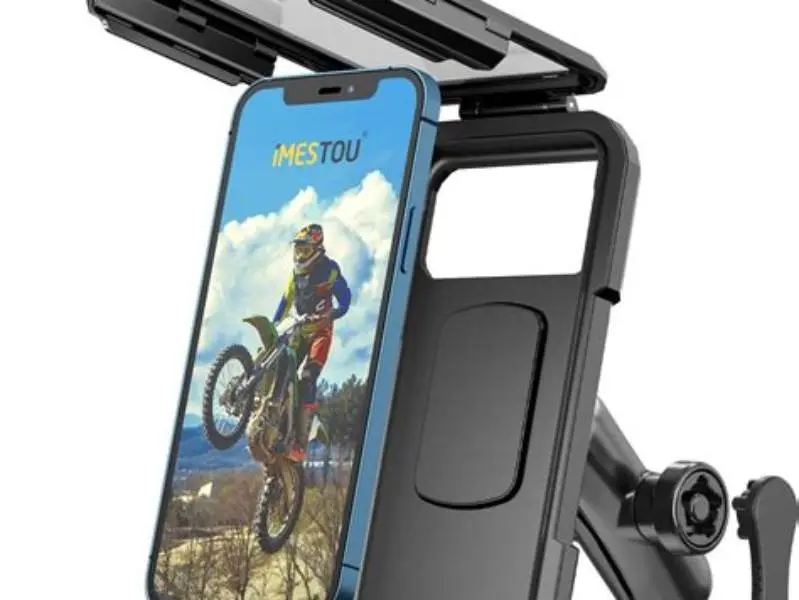
You need to select a port plug that is specifically designed for the iPhone 17 Pro. The dimensions of the charging port are precise, and a plug that is too large may cause damage, while one that is too small will fail to provide an effective seal. Always check the product specifications to ensure compatibility with your device model. There is more on waterproof cell phone holder for motorcycle in a separate guide.
Measure before you buy. The iPhone 17 Pro uses USB-C, and a plug has to match the receptacle, not the marketing name. Put a caliper on the opening and compare. A plug 8.4 mm wide in an 8.9 mm port leaves 0.5 mm of clearance, about 0.25 mm per side. That is the range where a plug seals without force.
If the plug needs a thumbnail to start, it is too big. If it drops in and rattles, it is too small. Seat it with a light push, then shake the phone upside down over a table. Nothing should fall out and no light should show around the edge. A gap you can see is a gap sweat will find.
Model naming causes most mismatches. The iPhone 16 Pro and the iPhone 17 Pro both use USB-C, and Lightning plugs sold for older phones are the wrong shape entirely. Check that the packaging names iPhone 17 Pro specifically. Buy from a seller who publishes port dimensions rather than a guess based on the device name.
Installation and Maintenance of Dustproof Plugs
Installing a dustproof plug is a straightforward process. Simply align the plug with the charging port and push it in gently until it is fully seated. For maintenance, the plug should be removed periodically to clean both the plug and the port area. This prevents the buildup of dirt and sweat residue, ensuring that the barrier remains effective over time.
Clean before you fit the plug. Power the phone off, run a dry soft brush around the port, then blow out loose lint with low pressure air. Keep metal tools out of the port. A pin or a pocketknife has already cost more than the plug did.
Remove the plug by the tab or flange, never by the body. Wipe it and the port rim with a lint free cloth dampened with 70% isopropyl alcohol. Let the port air for 10 minutes before charging, so no moisture hides under the plug. The alcohol evaporates fast and leaves no residue to trap dust.
Silicone wears out even when it looks fine, and heat in a parked car is what kills it. Replace a plug every 6 to 12 months, sooner if it feels tacky, cracked or misshapen. Keep one spare in the gym bag, since the port you leave unprotected is usually the one sitting open on a bench.
What to do when the port is already corroded
Stop charging and stop carrying the phone in your pocket. Take it to an authorised service point and ask for a port clean and connector inspection. The technician tells you whether the pins are pitted or the board is damaged, and quotes the work before starting. A corroded port that still charges is a cleaning job. One that reads as liquid damaged every time is a replacement.
Cleaning a mildly corroded port can bring charging back. The old debris comes out with a solvent, the corrosion lifts off the contacts, then the port is tested for current draw. A port that charges only in one cable position is usually salvageable. A phone that drops the connection whenever you move the cable is closer to the end.
Do not try to fix it with a metal pick and a squeeze of contact cleaner. That hides the symptom and adds a new failure. Keep the repair on an official device where the parts and warranty still apply, and you trade a corroded port for a known good one instead of another guess.
A dustproof port plug is an essential accessory for athletes using the iPhone 17 Pro. It provides a simple yet effective solution to prevent sweat-induced corrosion, ensuring the longevity and reliability of the device's charging capabilities.
FAQ
Can I charge my iPhone with the port plug still in place?
No. Remove the plug before charging, or the cable will not seat properly and you may scratch the port walls. Charge first, then push the plug back in.
How often should I clean the port plug?
Check it every few sessions and clean it at least weekly. Wipe the rubber with a dry cloth. Rinse grit off with plain water if it feels gritty, then let it dry fully.
Will sweat damage my iPhone 17 Pro charging port in a normal gym bag?
It can. A phone left in a bag after a hard session keeps sweat on the contacts for hours, and salt crystallises as the moisture goes. A fitted dust proof port plug stops that.
Does a case with a port cover work as well as a separate plug?
A case cover helps, but it rarely seals to the port opening. A separate plug sized to the iPhone 17 Pro port gives a tighter seal around the whole opening.
How do I know if my port is already corroded?
Look for greenish or white residue, dull pins, or charging that only works when you hold the cable at an angle. Any of those means the port needs cleaning before you add a plug.