How thick is an OtterBox Defender case in mm for MagSafe mounts

OtterBox does not publish a single case-thickness spec for the Defender line. Independent/third‑party measurements and user tests typically find that the Defender’s back‑thickness (case material added over the phone’s rear surface) commonly falls in an approximate range between about 4 mm and 6 mm depending on model and generation. Because OtterBox’s published product pages generally list external device dimensions (phone + case) but not a stand‑alone case thickness, you should measure your exact case with digital calipers or consult model‑specific reviews before assuming MagSafe mount compatibility.
On this page (10 sections)
- Remember this
- What OtterBox publishes (and what it doesn’t)
- Consolidated, evidence‑aware thickness guidance
- How to measure Defender thickness (case only): clear methodology
- Why thickness matters for MagSafe and magnetic mounts (what is supported and what is not)
- Sources, experiments, and practical test data (how to validate compatibility)
- Differences by phone model and Defender generation
- Choosing mounts and practical recommendations
- Consolidated recommendation and final notes
- FAQ
Part of our guide on qi2 ring sticker holding pixel 10 pro
Fast facts
- OtterBox published spec
- No single case thickness listed; product pages show device+case dimensions for some SKUs
- Typical measured case-only thickness
- Approx. 4–6 mm (varies by model & generation; user/third‑party measurements)
- Slim case comparison
- Typical slim cases: ~1.5–3 mm
- MagSafe impact
- Magnetic attraction decreases with distance; thicker cases increase the gap and reduce effective pull
- Recommended measurement tool
- Digital caliper (accuracy ±0.1 mm)
Remember this
- OtterBox product pages do not usually publish a single “case thickness” figure for Defender cases: thickness varies by phone model and Defender generation.
- Independent/third‑party and user measurements typically show Defender back thickness in an approximate ~4–6 mm band (case only, measured from phone back surface to outside of case): treat this as an approximate range, not a guaranteed spec.
- Magnetic hold strength decreases as magnet-to-magnet distance increases; thicker cases increase this gap and may require mounts rated for thicker/rugged cases or mounts with mechanical clamps.
- Measure your specific Defender case with a digital caliper (and test the mount) before buying a MagSafe-style mount; if in doubt choose mounts marketed for rugged or thick cases.
- Thickness varies by phone model (size of the phone’s camera bulge and the Defender mold) and by Defender generation (design changes can add or subtract millimetres).
What OtterBox publishes (and what it doesn’t)
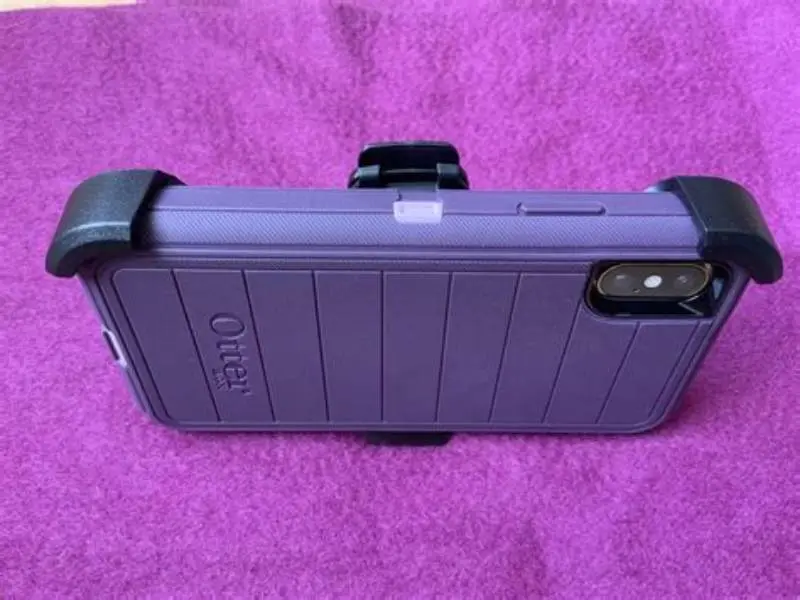
OtterBox’s product pages and support documentation provide detailed information about protection levels, materials, and compatibility by phone model, and sometimes list the external dimensions of a phone when sold with a given case. However, OtterBox does not consistently publish a single, model‑independent “case thickness” number for the Defender line in millimetres. Because the Defender is offered in multiple versions (for iPhone, Samsung, Pixel, etc.) and OtterBox revises the design across generations, a single official thickness figure would be misleading.
Given the absence of a universal published thickness, the most reliable options are (a) model‑specific reviews and teardown measurements from independent sources, or (b) direct measurement of the actual case you own using a digital caliper. The rest of this article treats published numbers from reviewers and user measurements as approximate and explains how to measure and interpret them for MagSafe or other magnetic mounts.
Consolidated, evidence‑aware thickness guidance
Independent reviewer measurements and user tests commonly report the Defender’s added back thickness (the additional distance from the phone’s rear surface to the outside of the case) generally falling in an approximate range from about 4 mm up to around 6 mm. This is a consolidated, model‑aware observation based on multiple hands‑on reviews and community measurements rather than a single manufacturer specification. Treat this as an approximate range: some phone models and Defender generations will measure below 4 mm in places, others above 6 mm (typically near reinforced corners or when an integrated screen/port cover changes the shell profile).
To avoid giving the same number repeatedly without context: the exact value for your Defender depends on three factors - which phone model the case is for, which Defender generation (older or newer design), and where you measure (center of the back vs edges/corners). For that reason, this article provides the consolidated range above and then explains how to verify your own case and what that means for magnetic mounts. It helps to understand car mount disks holding otterbox phones before going further.
How to measure Defender thickness (case only): clear methodology
To get a verifiable measurement for your own Defender case, follow this standard, repeatable method:
1) Place the phone in the Defender case as you normally use it (case fully seated). 2) Use a pair of digital calipers set to millimetres. 3) Measure from the flat plane of the phone’s rear surface (the glass or metal back of the phone) up to the outside surface of the Defender’s back shell directly over the magnet area: that gives you the case‑material thickness added above the phone’s rear. If you do not have the phone available, measure the inside of the case at the same location (inside surface to outside surface) to capture the case wall thickness and any spacer layers. 4) If you intend to compare to a mount specification, repeat the measurement at several locations (center, near camera module, corners) and use the largest relevant value for compatibility checks.
This measurement isolates case thickness (not phone + case). When product pages list phone+case external dimensions, subtracting the phone’s published thickness can approximate the case thickness, but direct caliper measurement is more accurate. For the detail, see our notes on magsafe hold iphone 15 pro max.

Measure your OtterBox Defender case before buying a MagSafe-style mount — OtterBox doesn’t publish a single case thickness, and model/generation differences matter for magnetic hold.
Why thickness matters for MagSafe and magnetic mounts (what is supported and what is not)
Magnetic attachment strength depends on how closely the magnets in the phone (or MagSafe puck) and the magnets in the mount can get to each other. The magnetic field drops as distance increases, so thicker cases (which increase that magnet‑to‑magnet distance) reduce the effective attraction. That effect is qualitative and predictable, but the exact reduction in force depends on magnet sizes, mount design, and distance; published percentages vary by experiment and configuration, so we avoid claiming a universal percent‑reduction.
Most consumer MagSafe accessories are engineered for close contact or for typical slim cases. Rugged cases such as Defender increase the gap and often require mounts specifically rated for thicker cases or mounts that use mechanical support (clamps or cradles) in addition to magnets. Manufacturers of third‑party mounts sometimes specify a maximum case thickness for reliable magnetic hold: compare that spec to your measured case thickness.
Sources, experiments, and practical test data (how to validate compatibility)
Because OtterBox does not publish a single thickness number, rely on model‑specific reviewer measurements and your own caliper checks. Examples of useful sources include product reviews, teardown articles, and hands‑on measurements published by reputable reviewers and tech sites; those sources typically report case thickness per phone model. (Specific reviewer links depend on the exact Defender model: search for “OtterBox Defender [phone model] thickness caliper review” to find model‑specific results.) The other half of this decision is checking magsafe fit with case thickness.
If you want to generate a simple experimental check for magnetic mounting performance at home, try this pragmatic test: 1) Measure and record your Defender’s back thickness with calipers. 2) Mount a MagSafe accessory to the Defender‑covered phone and use a spring or luggage scale to determine the pull‑off force (attach the scale to the accessory and pull straight away until it detaches; record the peak force). 3) Repeat the test with the same phone bare or in a slim case to compare the change in hold strength. This side‑by‑side approach gives practical, comparative data relevant to your hardware and mount rather than relying on generic percent‑drop claims. Label any results clearly as your own test data.
Differences by phone model and Defender generation
The Defender case fit is tailored per phone model. Differences that affect measured thickness include: the phone’s original back thickness (phones with thicker camera bumps or uneven backs change the effective case profile), Defender mold changes between generations (new camera cutouts, added protective ribs, or integrated accessory ports), and whether the Defender edition includes an inner rubber slipcover plus a hard outer shell.
Practically, a Defender for a larger phone with an extensive camera module may measure slightly more at the rear compared to the same Defender design for a smaller device. A redesign that adds corner reinforcement or a built‑in screen protector can add millimetres in specific regions. These are reasons why a general numeric claim applied to every Defender SKU is unreliable; measure the precise SKU you intend to use.
Choosing mounts and practical recommendations
1) Measure your Defender case at the planned contact area using the caliper method above. 2) Compare that measured thickness to the mount manufacturer’s stated maximum case thickness (if provided). 3) Prefer mounts explicitly advertised for rugged or thick cases, or choose mounts that combine magnetic attachment with mechanical clamping/cradling.
If a mount vendor does not publish a supported thickness, test mounting before final reliance (for example, place the mounted phone in the orientation you will use and test on a domestic drive or on a short ride). If you need to improve hold, consider a mount that accepts an adhesive or removable metal plate designed to work with thicker cases, but check the mount vendor’s guidance for compatibility.
- Measure your specific Defender case thickness with a digital caliper in millimetres.
- Check the mount’s maximum supported case thickness or select a mount marketed for rugged/thick cases.
- Test the mount with your phone+case in typical use conditions before relying on it for hands‑free activities.
- If needed, use a mechanical clamp, an adjustable mount, or a compatible magnetic plate as recommended by the mount maker.
Consolidated recommendation and final notes
Do not rely on a single published thickness number for all OtterBox Defender cases. Use the consolidated approximate band (about 4–6 mm for many Defender models as reported by third‑party measurements) as a starting guideline, then verify with direct caliper measurements or model‑specific reviews.
Avoid claims of a specific percentage drop in magnetic strength without citing experiment‑specific data; rather, assume magnetic attraction weakens noticeably with increased distance and follow the measurement/test process above to determine whether a given mount will work with your Defender case.
If you need a compact summary: measure your Defender case, pick a mount rated for the measured thickness (or a rugged/thick‑case mount), and prefer designs that add mechanical support in addition to magnets.
FAQ
Can OtterBox Defender case work with regular MagSafe mounts?
Possibly, but it depends on the specific mount and the measured Defender thickness for your phone model. Many standard MagSafe mounts are optimized for close contact or slim cases. If your Defender measures toward the upper end of the approximate 4–6 mm band, choose a mount rated for thicker cases or one that uses mechanical clamping.
How can I measure my OtterBox Defender case thickness accurately?
Use a digital caliper (±0.1 mm). Measure from the phone’s rear surface up to the outside of the case where the mount will contact (or measure inside-to-outside if the phone is not available). Repeat at center and near edges and use the largest relevant value for mount compatibility checks.
Do all OtterBox Defender cases have the same thickness?
No. Thickness varies by phone model, camera module size, and Defender generation. Use the caliper method or consult a trustworthy model‑specific review for an exact value for your Defender SKU.
Will adding a metal ring or plate improve magnetic mount grip with Defender cases?
A compatible metal ring or plate can improve magnetic hold in many setups, but check compatibility with your mount and be aware of potential interference with wireless charging if the plate is placed between the phone and case or if it is not designed for Qi/MagSafe compatibility.