What a gimbal mount is and how it keeps your phone steady while moving

A gimbal mount is a device that holds a phone while permitting controlled rotation about two or three perpendicular axes so the phone’s orientation is decoupled from the base movement. By allowing and/or actively correcting multi-axis rotation, gimbals reduce the transmission of bumps and vibrations to the phone, which fixed or vent mounts cannot do as effectively.
On this page (9 sections)
- Remember this
- What defines a gimbal mount
- How gimbal mounts work mechanically and electronically
- Differences between manual and motorized gimbals: performance and use cases
- Common uses and practical setup advice
- Limitations and compatibility: when gimbals may not be effective
- Comparing gimbal mounts to fixed and shoulder mounts
- Practical shopping checklist and safety tips
- FAQ
Part of our guide on mount for 230 g phone on treadmill
Fast facts
- Rotation axes
- 2 or 3 axes (typical)
- Typical stabilization
- reduces visible tilt and vibration; effectiveness depends on model and setup
- Common use
- cameras, drones, phones
- Phone compatibility
- varies by mount; check weight/width specs and case thickness
- Typical weight limit
- depends on model — many smartphone gimbals list capacity in grams; consult manufacturer specs
Remember this
- A gimbal mount stabilizes your phone by allowing multi-axis rotation and, in motorized models, actively counteracting motion.
- Mechanical isolation and active correction reduce transmitted bumps and vibrations compared with fixed mounts.
- There are clear trade-offs between manual and motorized gimbals in cost, power, and convenience.
- Gimbals have limits: strong impacts, extreme tilts, or incompatible phone sizes/weights can overwhelm them.
- Check mount specifications (weight, width, and mounting interface) and manufacturer guidance before buying.
What defines a gimbal mount
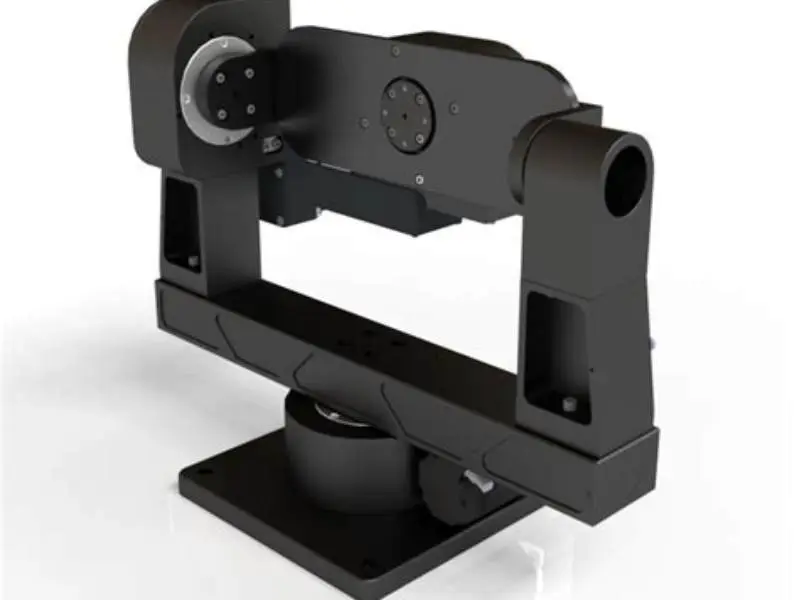
A gimbal mount is defined by its use of two or three perpendicular rotational axes (usually called yaw, pitch, and roll) to let the mounted device remain oriented independently of the mounting base’s motion. The axes are arranged so movement of the base does not directly translate into the same movement of the device, which is the core mechanical principle behind a gimbal.
Mechanically, gimbals use bearings, pivots, or rings that are coupled (in manual designs) or actively driven (in motorized designs) so the device can pivot around each axis with controlled resistance. This decoupling is what prevents the phone from rotating or tipping as the mount base tilts or vibrates.
Gimbal designs are broadly classified as manual (mechanical, usually balanced) or motorized (electromechanical with sensors and control electronics). Manual gimbals rely on careful balancing of the phone and friction/tension adjustments to keep the device stable. Motorized gimbals use sensors and motors to sense and counteract motion automatically. The choice between the two is a trade-off among complexity, power needs, price, and the level of correction you require.
A simple practical test for a manual gimbal is to balance the phone on the mount so it remains level when the spring-loaded or weighted pivots are released; if the phone drifts noticeably, you should rebalance or adjust tension until drift is minimal. For motorized gimbals, follow the manufacturer’s setup procedure (calibration and balance) before operation; many manufacturers publish step-by-step instructions in their manuals or support pages (see references). The other half of this decision is mounts for cobblestone rides.
How gimbal mounts work mechanically and electronically
The mechanical architecture of a gimbal holds the device inside a set of nested pivots or rings. Each pivot provides rotation about one axis so that motion of the mounting surface is absorbed by rotation instead of being transferred directly to the device. In this way the phone’s orientation remains steadier relative to the world or camera framing.
Manual gimbals achieve stability by balancing the phone’s center of mass about the pivot axes and by using adjustable friction or tension so the phone does not swing freely. The user typically positions the phone so gravity keeps it in the desired orientation; small tension adjustments prevent slow drift or oscillation without preventing intentional rotation.
Motorized gimbals add sensors (such as gyroscopes and accelerometers) and brushless motors. The sensors detect angular and linear motion of the device, and a control loop commands the motors to produce counter-rotations that keep the phone near a target orientation. Manufacturers and third-party reviews document different sensor and control strategies; some gimbals are designed for smooth video capture while others prioritize quick reorientation. It helps to understand steady filming on handlebars before going further.
Sensor sampling and control loop rates vary by model and design. Instead of implying a single standard rate, treat those figures as typical ranges provided by manufacturers: many consumer motorized gimbals use sensor and control update rates that are fast enough to deliver smooth correction for walking, cycling, and vehicle vibration in ordinary conditions, but precise numbers should be checked in product specifications or technical documentation when that detail matters (see references).
Bear in mind the system’s effectiveness depends on the phone’s balance, the strength and speed of the motors, the control algorithm, and the mount’s mechanical limits. If a motorized gimbal is overloaded or the phone is installed out of balance, the motors may stall or the control loop may be unable to fully correct, producing visible jitter or drift.
Differences between manual and motorized gimbals: performance and use cases
Manual and motorized gimbals serve overlapping needs but differ substantially in performance, complexity, and appropriate use cases. People in this spot often ask about windshield cell phone mount where to buy as well.
Manual gimbals: these are mechanically simpler and don’t require power. When properly balanced, they provide steady support for stationary or slowly moving use and are reliable for long-duration use because there is no battery life to worry about. They are well suited to low-cost stabilization needs, mounts where power is inconvenient, or setups that only require preventing rotation rather than actively reorienting the phone. Their limitations appear when rapid or complex motion occurs: large or sudden disturbances can cause the device to swing or require the user to re-balance the setup.
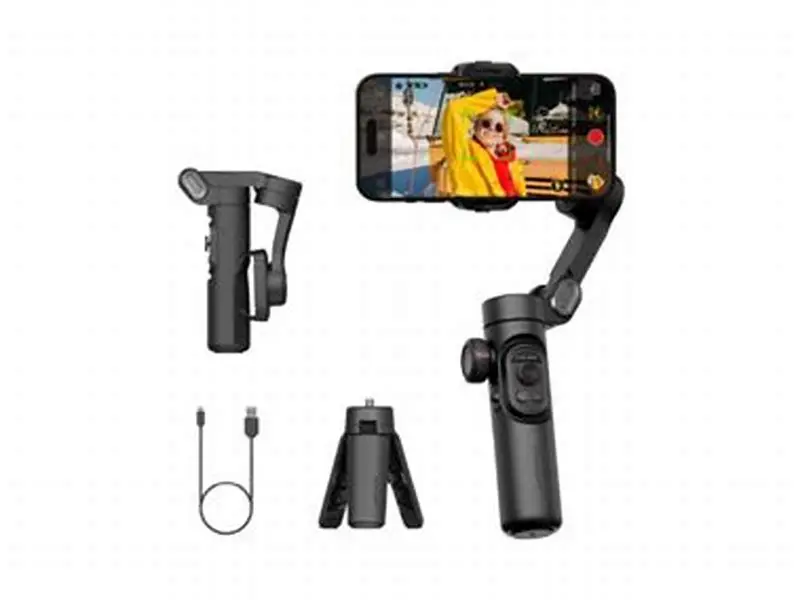
Motorized gimbals: these actively sense and correct motion, making them more effective for capturing smooth video during walking, running, cycling, or vehicle motion. They require power (battery or USB) and are more complex to set up. Advantages include automatic leveling, programmable follow modes, and better performance under continuous dynamic motion. Limitations include finite motor torque and travel range, battery life, and higher cost compared with manual alternatives.
Choosing between the two depends on the intended activity: prefer manual gimbals for simple, low-power needs and environments with small disturbances; prefer motorized gimbals for dynamic activities that require continuous active correction or when you want automatic follow and stabilization features. If you expect significant forces (e.g., motorbikes, off-road vehicles), verify that the motorized model’s specifications and user reports indicate suitable performance for that level of activity.
Gimbal mounts keep your phone steadier in motion by allowing multi-axis rotation and, in motorized models, actively countering motion—readers should match their phone’s size and expected use to a mount’s specifications.
Common uses and practical setup advice
Gimbal mounts are used across cameras, drones, smartphones, and vehicle mounts where steady orientation or smooth footage is desired. They are especially common where a device must remain usable during motion: bike mounts for navigation, dash or vent mounts in vehicles for hands-free use, and phone-based content creation while walking or riding.
For phone use, many gimbal mounts include adjustable clamps or adapters to accommodate different widths and case thicknesses. Always verify the mount’s listed phone width and maximum case thickness; some models provide removable or adjustable clamps for wider phones or for phones kept inside protective cases.
When installing a phone, check three things: (1) the phone is centered and level in the mount, (2) balance is adjusted if the mount requires it, and (3) any tension or friction settings are set per the manufacturer’s instructions. Improper mounting is the most common cause of poor gimbal performance.
Some mounts combine magnetic attachment systems (e.g., magnetic rings or MagSafe-style accessories) with gimbal stabilization. If you plan to use magnetic holding, confirm that the magnet system is supported and that the phone or case provides sufficient magnetic strength for the intended use. Manufacturer guidance and product tests are useful here because magnetic strength and safety vary across devices.
Limitations and compatibility: when gimbals may not be effective
Gimbals are powerful tools but have clear limits. They are designed to stabilize against normal movement and vibration encountered during activities like walking, cycling on regular trails, and driving on ordinary roads. They are not designed to protect the phone from very high-energy impacts, drops, or high-speed crashes; in such events the device can hit the end-stops of the pivots, the mount may fail, or the phone may be damaged.
Motorized systems have finite motor torque and pivot travel: if the phone is overloaded by weight or installed out of balance, motors can overheat, stall, or behave erratically. Very aggressive maneuvers (for example, sudden flips or very steep angles) can exceed the travel range of the gimbal and cause the phone to contact mechanical limits.
Environmental factors also affect effectiveness. Heavy rain, mud, or dust can interfere with bearings and motor cooling; extreme heat can shorten battery life and change motor performance. Manufacturers often specify operating conditions in their manuals; follow those guidelines when using the mount in harsh environments.
Compatibility issues are common: phones vary in weight, width, thickness (including cases), and center-of-mass location (influenced by camera modules and cases). To ensure compatibility: check the mount’s weight rating, clamping range, and any case-thickness limits; review the manufacturer’s compatibility lists; and, where available, test the setup before relying on it in the field. If your phone is near the upper end of a mount’s rating, consider removing bulky cases or choosing a model rated for higher weight.
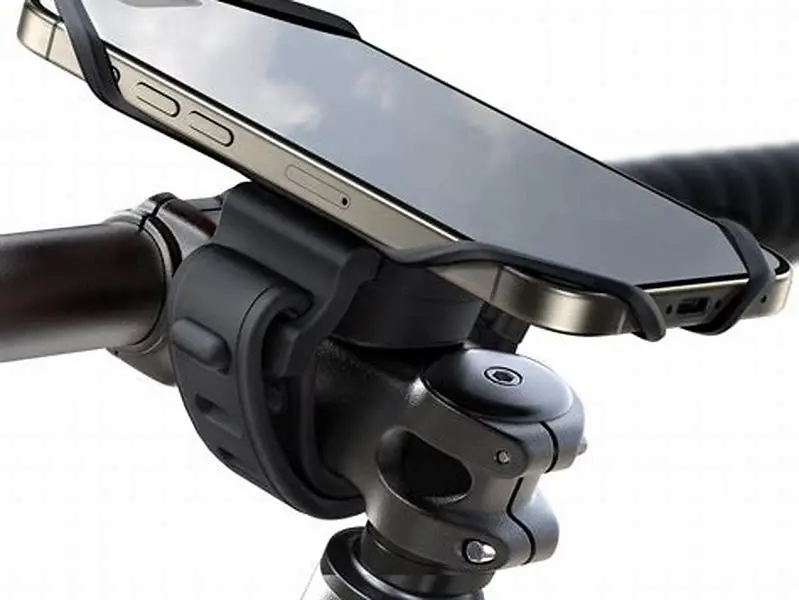
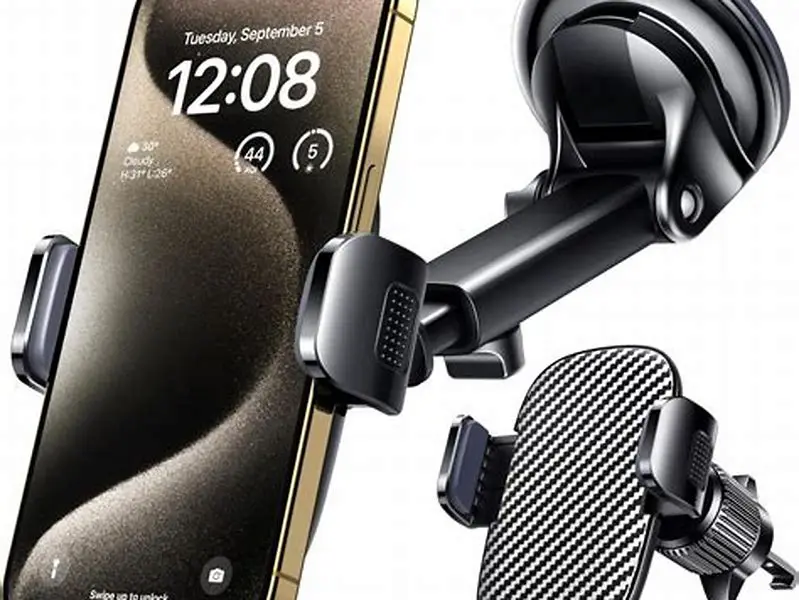
Mount interface compatibility matters. Some mounts use handlebar clamps, vent clips, suction mounts, or standardized tripods; not every car vent or handlebar shape will accept every mount type. Read product compatibility notes and consider adapters if necessary.
Comparing gimbal mounts to fixed and shoulder mounts
Fixed mounts clamp the phone rigidly and transfer most movement directly to the device. They are inexpensive and small but perform poorly on bumpy surfaces where vibration and jolts are common.
Shoulder mounts (and other body-worn stabilizers) use the operator’s body and additional mechanical systems to absorb motion. They can provide excellent stability for professional video work but are large and impractical for many everyday scenarios.
Gimbal mounts occupy a middle ground: compared with fixed mounts they provide meaningful motion isolation and smoother footage, and compared with shoulder rigs they are far more compact and convenient. The right choice depends on portability, cost, and the level of stabilization required.
| Mount Type | Motion Compensation | Size and Bulk | Ease of Use | Stability on Rough Terrain |
|---|---|---|---|---|
| Fixed mount | None | Small | Easy | Poor |
| Gimbal mount | 2–3 axis rotation (mechanical or active) | Medium | Moderate | Good, within device limits |
| Shoulder mount | Operator-body absorption | Large | Difficult | Excellent |
Practical shopping checklist and safety tips
Before buying: check the listed weight capacity, clamping width, and whether the mount accommodates cases. Look for product pages, manuals, or manufacturer specs that list these limits explicitly.
Read setup instructions and follow balancing/calibration steps carefully; many performance problems stem from improper setup rather than hardware failure.
If the mount is motorized, check battery life and recharge options, and confirm the model can tolerate the kinds of movements you expect (manufacturers sometimes publish example use cases or demo videos).
If using magnets, verify that the magnetic attachment is compatible with your phone or case and rated for the expected forces; if in doubt, choose a mechanical clamp or a verified magnetic accessory from the phone manufacturer.
FAQ
Can any phone be used with a gimbal mount?
Not all phones will fit or balance well on all gimbal mounts. Check the mount’s maximum supported weight and clamping width. For phones near a mount’s limits, remove thick or heavy cases or choose a mount with a higher capacity.
Do gimbal mounts need power to work?
Manual gimbals do not require power and function by balance and friction. Motorized gimbals require battery or USB power to run sensors and motors; check battery life and charging options in product specs.
Are gimbal mounts expensive compared to fixed mounts?
Yes: gimbals generally cost more because they include additional mechanical parts or electronics. For many users moving frequently, the improved stability justifies the cost; for stationary or low-motion use, fixed mounts may be sufficient.
Will a gimbal mount work on all car vents or bike handlebars?
Compatibility depends on vent shape, vent strength, and handlebar diameter. Some vents are unsuitable for heavier mounts. Look for models with adjustable clamps or specific vehicle/handlebar compatibility notes.
Can I use a magnetic case with a gimbal mount?
Only if the gimbal mount explicitly supports magnetic mounting and the case provides sufficient magnetic strength according to the manufacturer. If not specified, prefer a mechanical clamp for safety.