How a MagSafe wallet on iPhone 14 Pro affects charging

Understand how a MagSafe wallet on your iPhone 14 Pro influences wireless charging with a typical MagSafe charger.
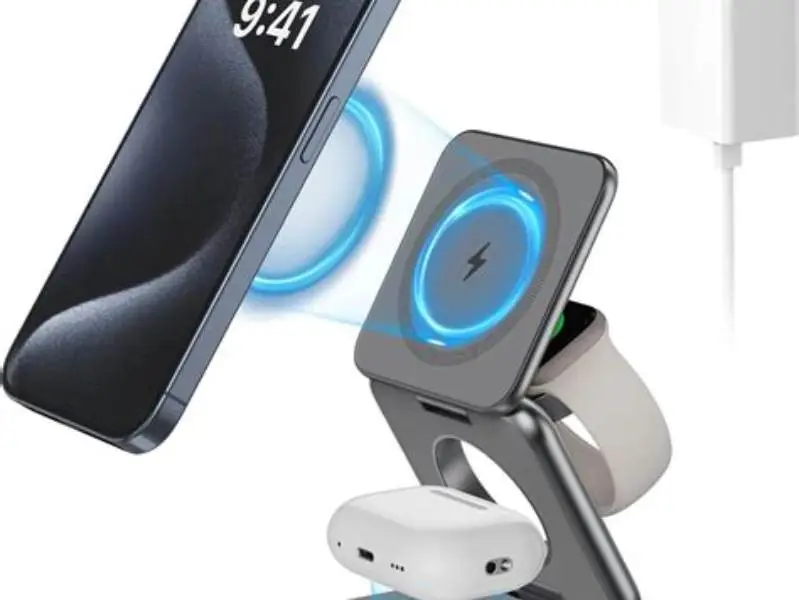
A MagSafe wallet stuck on an iPhone 14 Pro can reduce or stop wireless charging with a standard MagSafe charger if it blocks coil alignment or is too thick. Charging success depends on wallet position, thickness, and materials.
On this page (8 sections)
- Key takeaways
- Does the wallet physically block wireless charging coils
- Impact of wallet thickness and material on charging efficiency
- Any difference in charging speed or connection reliability
- How magnetic alignment is affected by the wallet
- Recommendations if charging stops or slows
- Will a MagSafe wallet stuck to an iPhone 14 Pro stop wireless charging with a standard MagSafe charger
- Questions people still ask
Part of our guide on magnetic mounts and overheating
Explore exactly how a MagSafe wallet on iPhone 14 Pro affects MagSafe charging efficiency and alignment.
| Typical wallet thickness | 3-6 mm |
|---|---|
| Effective charging distance | up to 5 mm |
| Wallet material impact | varies widely |
| Charging speed drop | often 10-30% |
| Magnetic alignment importance | high |
Key takeaways
- Wallet thickness above 5 mm often reduces charging efficiency noticeably
- Leather or metal components inside the wallet may block or slow charging
- Proper magnetic alignment between phone, wallet, and charger is crucial
- Physical wallet placement can cover coils and interrupt charging
- Removing the wallet restores normal charging speed and stability
Does the wallet physically block wireless charging coils
The iPhone 14 Pro uses a charging coil placed just behind its rear surface within a few millimeters. A MagSafe wallet attached to the back sits directly over this coil area. If the wallet fully covers the coil, it creates a physical barrier, increasing the distance between the charging coil on the phone and the charger, which usually reduces power transfer efficiency.
Wallets thicker than approximately 5 millimeters tend to cause significant drops in power delivery because the charging magnetic field and coil coupling weaken as distance grows. Wallets thinner than 3 millimeters might have minimal impact, assuming no other interference.
The wallet's location also matters. If it is aligned perfectly in the MagSafe circle area, it covers the coil completely, hindering charging. Wallets placed slightly off-center may allow partial coil exposure, permitting some charging but less efficiently.
Impact of wallet thickness and material on charging efficiency
Wallet thickness is the primary factor affecting wireless charging efficiency. Magnetic induction drops rapidly with increased distance; for MagSafe, reliable charging usually happens within 5 millimeters. Thickness beyond this causes power loss or charging failure. If that sounds like your situation, read up on qi2 and magsafe compatibility tips next.
Material properties also influence effectiveness. Leather wallets generally allow magnetic fields to pass with less interference, whereas metal components inside wallets (e.g., card holders, clasps) create eddy currents and magnetic shielding that reduce power transfer and may stop charging entirely.
Some manufacturers use thin layers of aluminum or steel to reinforce wallets for durability, but these layers disrupt the magnetic field needed for charging. Plastic or fabric wallets without metal parts have the least impact but still add thickness that increases coil separation.
In scenarios where the wallet contains multiple layers of cards or additional inserts, the effective thickness can quickly exceed the critical 5-millimeter range, further diminishing charging efficiency. For example, a wallet that is 3 millimeters thick by itself but carries two standard credit cards of approximately 0.76 millimeters each adds about 1.5 millimeters total, potentially pushing the total coil separation to over 4.5 millimeters. This cumulative thickness nears the limit where charging efficiency begins to drop notably. For the detail, see our notes on iphone 15 pro charging issues.
Some materials inside the wallet can become warm during charging due to induced eddy currents, especially metallic elements. This heat can exacerbate charging inefficiency by causing the iPhone's thermal management system to reduce charging power to prevent battery damage. Therefore, wallets with metal parts may not only reduce charging speed but also trigger thermal throttling, further slowing the process.
| Material | Typical Thickness (mm) | Effect on Charging |
|---|---|---|
| Leather (no metal) | 2-4 | Minimal if thin |
| Metal reinforced | 3-6 | Significant interference |
| Plastic/fabric | 2-5 | Moderate, depends on thickness |
| With magnetic cards | 3-6 | Potential to stop charging |

Neoteck Digital Thickness Gauge 0.5inch/12.7mm,0.0005inch/0.01mm Accuracy
Gives ultra-precise thickness measurement with 0.01 mm accuracy, ideal to check if wallet thickness blocks wireless charging.
Any difference in charging speed or connection reliability
A MagSafe wallet on an iPhone 14 Pro often reduces charging speed by 10-30%, depending on thickness and material. In some cases, charging may stop altogether if the wallet blocks the coil or magnetic alignment fails.
Connection reliability suffers because the magnetic coupling between the charger and phone weakens with added wallet thickness. The charger may repeatedly connect and disconnect, causing inefficient or intermittent charging. For the detail, see our notes on magnetic backpack strap mount iphone 14 plus.
Wireless charging efficiency is sensitive to coil alignment and distance. While a thin wallet might allow stable charging at slightly slower speeds, thicker or metal-containing wallets can cause unpredictable charging behavior or force the user to remove the wallet.
Charging speed reduction caused by a MagSafe wallet can be quantified with a practical example. Suppose a standard MagSafe charger delivers 15 watts charging power to an iPhone 14 Pro without a wallet. Introducing a wallet that increases coil distance to 6 millimeters and contains minor metal components might reduce effective power to around 10 watts, slowing full charge time by approximately 25%.
Connection reliability issues can manifest as the iPhone intermittently disconnecting from the charger. This behavior occurs when the magnetic coupling is weak or unstable due to wallet interference, causing the charger to cycle on and off. Users might observe the charging icon appearing and disappearing rapidly, which is a clear indication of poor coil alignment or excessive distance caused by the wallet.
How magnetic alignment is affected by the wallet
MagSafe chargers rely on magnets in the phone and charger to snap into precise coil alignment, maximizing charging efficiency. Adding a MagSafe wallet between them changes the magnetic field dynamics.
Wallet magnets can either strengthen or weaken the charger’s magnetic pull depending on polarity and position. A well-designed wallet maintains proper alignment by aligning its magnets with the phone’s, but cheaper or off-center wallets may cause misalignment.
Misalignment from magnets inside the wallet shifts the charger’s coil away from the phone’s coil center, reducing power transfer. This can result in slower charging or failure to charge. The wallet’s magnet strength usually ranges from 50 to 200 gauss, enough to affect coil position.
Recommendations if charging stops or slows
If you find your iPhone 14 Pro stops charging or charges very slowly with a MagSafe wallet attached, first remove the wallet and try charging again. If charging returns to normal, the wallet is the cause of interference.
Try repositioning the wallet slightly off the coil area to reduce blocking, or use a thinner wallet without metal parts. Wallets designed specifically for MagSafe charging usually account for alignment and thickness to minimize impact.
If you want to keep the wallet attached while charging, consider a thinner wallet or one explicitly marketed as MagSafe charging compatible. Using a Qi2 standard charger designed for slightly greater coil distances can also help, but only if wallet thickness is minimal.
Measuring the gap between your charger coil and phone coil with a transparency gauge or caliper will help assess if your wallet is too thick. These tools confirm whether coil spacing exceeds the effective charging distance of around 5 millimeters.
- Remove wallet and test charging to confirm interference
- Check wallet thickness with a caliper or gauge
- Try repositioning wallet off the charging coil area
- Use a dedicated MagSafe-compatible thin wallet if needed
- Consider chargers that tolerate greater distances for thick wallets
Will a MagSafe wallet stuck to an iPhone 14 Pro stop wireless charging with a standard MagSafe charger
A MagSafe wallet stuck to an iPhone 14 Pro can stop or reduce wireless charging if it increases coil distance beyond about 5 millimeters, contains metal components, or disrupts magnetic alignment.
Wallets designed for MagSafe typically avoid interference by using thin materials, non-metallic construction, and properly placed magnets to maintain alignment. However, many generic or thicker wallets cause a partial or full charging block.
Ultimately, whether charging stops depends on wallet thickness, material, placement, and magnet strength. If charging is critical while wearing a wallet, use one explicitly tested for iPhone 14 Pro MagSafe charging or remove the wallet during charging.
Even with a properly aligned MagSafe wallet, certain environmental factors can cause wireless charging to stop. For instance, if the phone case combined with the wallet creates a total thickness greater than 6 millimeters, charging may fail despite the wallet’s design. Similarly, debris or dust trapped between the charger and wallet can increase coil distance or disrupt magnetic contact, stopping charging unexpectedly.
It is worth noting that the iPhone 14 Pro’s MagSafe system includes software safeguards that detect improper charging conditions. If the charging coil cannot achieve sufficient coupling due to the wallet’s interference, the phone may display a warning or a charging icon with an exclamation mark, indicating charging has paused or stopped. This feature helps users diagnose when the wallet is the source of the problem.
| Wallet Type | Thickness (mm) | Material | Charging Impact |
|---|---|---|---|
| Thin MagSafe wallet | ≤ 3 | Leather/plastic, no metal | Minimal impact, charges normally |
| Thick wallet or metal parts | ≥ 5 | Metal reinforcements | Often blocks or slows charging |
| Misaligned wallet magnets | Varies | Any | Reduces magnetic alignment, slows charging |
Questions people still ask
Can a MagSafe wallet damage the iPhone 14 Pro battery?
No direct damage occurs from the wallet itself. However, charging inefficiency may cause slower charging cycles, which does not harm the battery but can complicate fast charging needs.
Will a case plus a MagSafe wallet further affect wireless charging?
Yes, cases add thickness and may contain materials or magnets that compound wallet interference. Thicker or metal cases significantly reduce charging efficiency.
Are there wallets designed specifically to avoid charging issues?
Yes, some brands design wallets for MagSafe compatibility using thin, non-metal materials and magnets aligned to preserve charging function.
Does the wallet interfere with wired charging?
No, a MagSafe wallet only affects wireless charging; wired charging through Lightning or USB-C ports is unaffected.
Can I use a non-MagSafe wireless charger with a MagSafe wallet on iPhone 14 Pro?
Non-MagSafe chargers usually require precise coil alignment, which a wallet may disrupt more easily, causing slower or failed charging.