Are All Magnetic Phone Cases MagSafe Compatible?

No. MagSafe cases use a specific ring of magnets arranged to Apple's standard, while many magnetic cases contain only generic magnets that won't align with MagSafe chargers or accessories. Standard phone cases run 1.2 to 3mm thick, and MagSafe needs the case under 2.5mm for reliable charging.
On this page (8 sections)
Part of our guide on magnetic mounts and overheating
Fast facts
- MagSafe magnet count
- 18 magnets in a ring
- Standard case thickness
- 1.2 to 3mm
- MagSafe max thickness
- 2.5mm for full charging
- Generic magnet layout
- Random or plate, no alignment
- Qi2 compatibility
- Identical to MagSafe standard
- Minimum hold force
- Usually 800g or more
Remember this
- MagSafe cases have a circular magnet array that matches Apple's layout: generic magnetic cases usually don't
- Cases thicker than 2.5mm weaken MagSafe charging and may prevent accessories from locking on
- A case can be magnetic without being MagSafe compatible, and those magnets won't align with chargers
- Qi2 uses the same magnet standard as MagSafe, so Qi2 cases work with MagSafe accessories
- Test compatibility by checking if a MagSafe charger centers itself automatically on the case back
What makes a case MagSafe compatible versus just magnetic
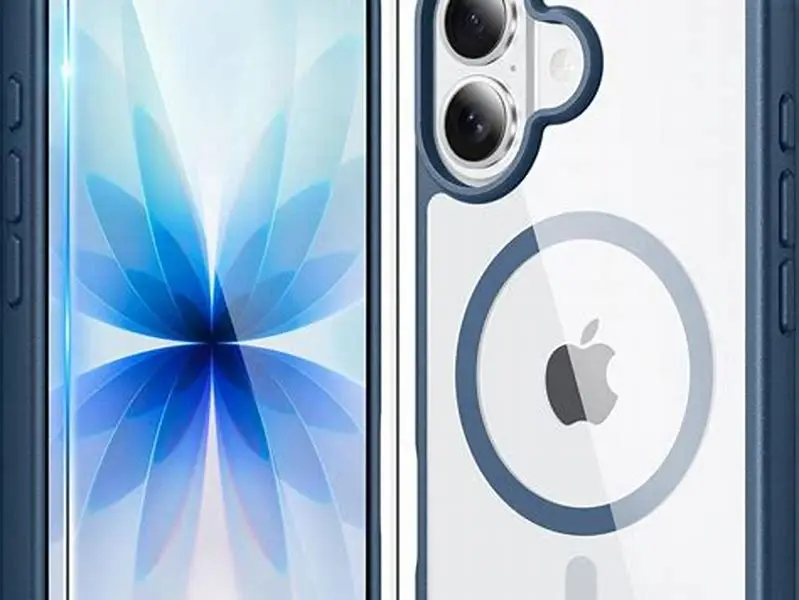
MagSafe compatibility depends on 18 magnets arranged in a precise circular pattern that Apple standardized in 2020. The ring sits roughly 35mm from the phone's center, with alternating polarity so the charger or accessory snaps into exactly one position. Generic magnetic cases skip this layout entirely. They might use a steel plate, a single large magnet, or magnets scattered randomly across the back. Those designs let the case stick to a magnetic mount, but a MagSafe charger won't center itself and often won't charge at all.
The magnet strength matters as much as the pattern. MagSafe cases generate a hold force around 800 to 1200 grams, enough to support the phone on a vertical charger without sliding. Weak magnets let the phone droop or fall. Some third-party cases advertise "MagSafe compatible" while using magnets 30 percent weaker than Apple's spec, and accessories wobble or disconnect under vibration.
Qi2, the wireless charging standard released in 2023, adopted Apple's magnet layout without modification. A Qi2-certified case uses the same ring and spacing as MagSafe, so it works with every MagSafe accessory. If a case claims Qi2 compliance, it will align with MagSafe chargers, mounts, and wallets exactly the way Apple's own cases do. That makes Qi2 the first universal magnetic standard for Android and iPhone alike.
You can test compatibility without disassembling anything. Hold a MagSafe charger near the case back. If it snaps into the exact center and won't rotate, the magnets align. If it drifts to one side, sticks weakly, or rotates freely, the case lacks the MagSafe ring. A generic magnetic case might still hold the charger in place, but charging will be slow or intermittent because the coils don't overlap. For the detail, see our notes on magnet ring inside magsafe cases.

FNTCASE Magnetic for iPhone 17 Case
Handles your iPhone 17 with 38 N52 magnets for 2400g lock, fully compatible with MagSafe chargers and magnetic mounts
Are MagSafe cases magnetic
Yes. Every MagSafe case contains magnets: that's how the system works. The ring of 18 magnets embedded in the case creates the field that pulls a MagSafe charger or mount into alignment. Apple's own cases, and third-party MagSafe cases, all carry this magnet array. Without it, the case might support wireless charging through Qi, but it won't lock accessories into position.
The confusion arises because not all wireless-charging cases are magnetic. Standard Qi cases from before 2020 have no magnets at all. They charge wirelessly, but you place the phone on a pad by hand, and it slides around if you nudge it. MagSafe added the magnet ring to solve that problem. The charger finds the phone automatically, and the hold force keeps it there.
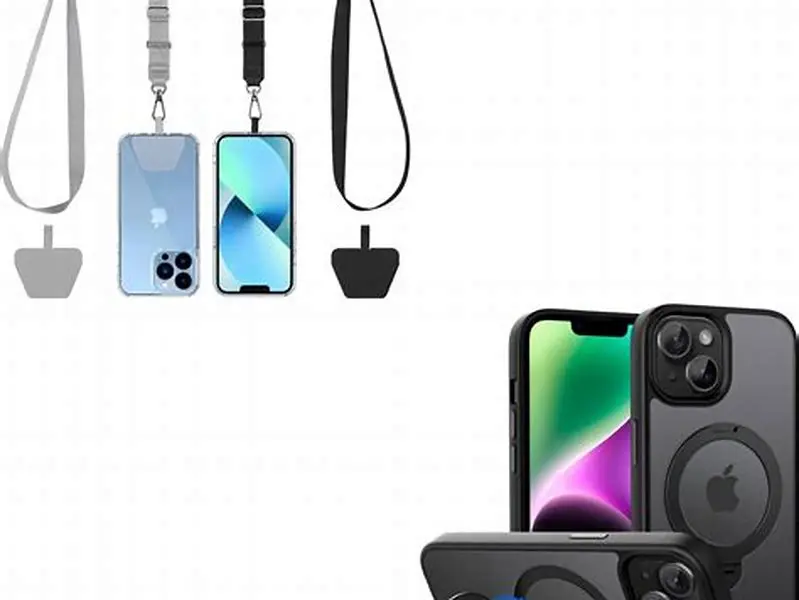
Some people worry the magnets will interfere with the phone's sensors or erase cards. They don't. The MagSafe ring sits outside the NFC coil and camera module, and the field strength drops to negligible levels beyond a few millimeters. Credit cards with magnetic stripes should stay clear, but contactless cards use a chip and aren't affected. Apple designed the layout to avoid the compass, which recalibrates itself anyway during normal use. The other half of this decision is secure magnetic lanyard for iphone 14.
Do all magnetic phone cases have MagSafe magnets
No. Most magnetic cases sold before 2020, and many cheaper cases still on sale, contain magnets that don't follow the MagSafe pattern. They use a flat steel plate or a handful of disc magnets placed to grip a generic car mount. Those magnets work fine for holding the phone to a magnetic surface, but they won't align with a MagSafe charger's coil. The charger might stick loosely, but charging will be slow or fail entirely because the inductive coils don't overlap.
Some cases advertise "magnetic" without specifying the layout. Read the description carefully. If the case mentions MagSafe or Qi2 by name, it should have the ring. If it just says "works with magnetic mounts" or "built-in metal plate," assume it lacks the MagSafe array. A few brands use vague language like "mag-safe" with a hyphen or "magnet-compatible" to blur the distinction and sell generic magnetic cases to buyers searching for MagSafe.
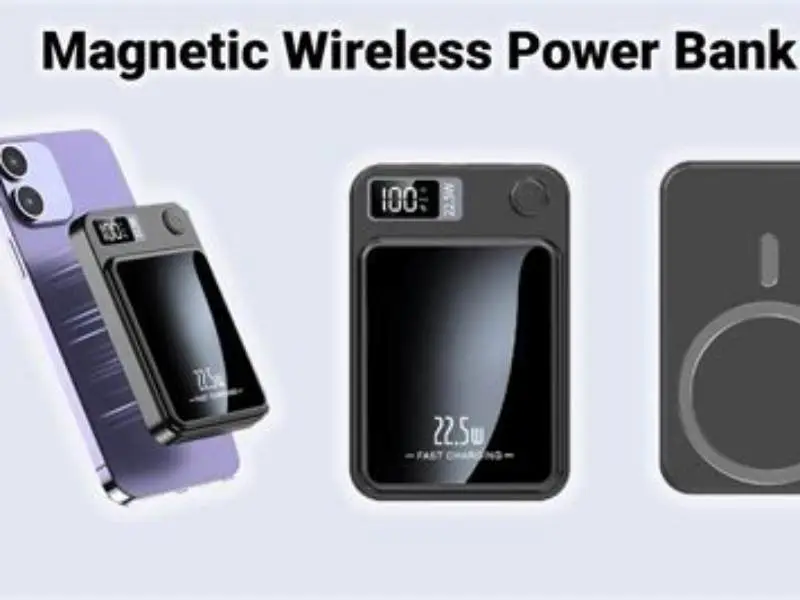
Third-party MagSafe cases from established brands (Spigen, Otterbox, Mous, Peak Design) include the proper magnet ring and usually state "MagSafe compatible" clearly. Budget cases from unknown sellers often don't. The price gap reflects the cost of licensing or reverse-engineering Apple's layout. A genuine MagSafe case costs $15 to $60, while a generic magnetic case runs $8 to $20. You get what you pay for. People in this spot often ask about 5000mAh magnetic power bank alignment as well.
Android cases labeled Qi2 also carry the MagSafe magnet ring, since Qi2 is the same standard. Samsung, Google, and other manufacturers began shipping Qi2 cases in late 2023. These work with MagSafe accessories exactly as an iPhone case does, though the phone itself must support Qi2 for wireless charging to function. The magnet ring works regardless: it's the phone's charging coil that determines wireless compatibility.
| Case type | Magnet layout | MagSafe charger | MagSafe mount | Generic magnet mount |
|---|---|---|---|---|
| MagSafe case | 18-magnet ring | Yes, centers itself | Yes, locks on | Yes |
| Qi2 case | 18-magnet ring | Yes, centers itself | Yes, locks on | Yes |
| Generic magnetic case | Plate or scattered magnets | No, drifts or weak | No, won't lock | Yes |
| Standard Qi case | No magnets | No | No | No |
A magnetic case might grip your phone but fail to charge it wirelessly—the magnet arrangement decides everything.
Typical thickness of phone cases
Standard phone cases measure 1.2 to 3mm thick at the back panel, depending on the material and protection level. Slim cases, usually made from polycarbonate or TPU, run 1.2 to 1.8mm. Mid-weight cases with better drop protection sit around 2 to 2.5mm. Rugged cases (Otterbox Defender, UAG Monarch) reach 3 to 4mm or more, with thick polymer shells and internal air gaps.
The material affects the measurement. Hard polycarbonate cases can be thinner because the plastic holds its shape under stress. Soft TPU flexes, so manufacturers add thickness to prevent tearing. Leather and fabric cases usually land around 2mm, with the texture adding another tenth of a millimeter. Clear cases tend to be thinner than opaque ones because buyers want to see the phone's original color, and that look works best with a slim profile.
Thickness matters for wireless charging because the magnetic field and inductive coupling both weaken with distance. Every extra millimeter between the charger and the phone's coil reduces efficiency. MagSafe tolerates cases up to 2.5mm before charging slows noticeably. Beyond that, the charger might still recognize the phone but deliver only 5 watts instead of the full 15 watts. At 4mm or thicker, many MagSafe chargers give up entirely, and the phone won't charge unless you remove the case.
Some rugged cases include a removable outer shell. The inner layer might be thin enough for MagSafe, but the full assembly isn't. If you need both heavy protection and wireless charging, look for cases explicitly rated for MagSafe. Peak Design and Mous make rugged cases under 2.5mm by using denser materials and tighter tolerances. They cost more, but they don't force you to choose between drop protection and charging convenience.
How case thickness affects MagSafe compatibility
MagSafe charging relies on two things aligning perfectly: the magnet ring and the inductive coil. The magnets pull the charger into position, and the coil transfers power. Both weaken as the gap between charger and phone increases. A case under 2mm thick loses roughly 10 percent charging efficiency compared to a bare phone. A case at 2.5mm loses around 20 percent, and a 3mm case can cut efficiency in half. Those figures assume the magnet ring is present and correctly aligned: a missing ring makes thickness irrelevant because the charger won't center itself at all.
The hold force also drops with thickness. A thin MagSafe case keeps the phone locked to a vertical charger or mount even when you're driving over rough roads. A thick case weakens the magnetic pull, and the phone sags or falls off. Apple's engineering tolerances account for cases up to 2.5mm, which is why most first-party and certified third-party cases land just under that threshold. Exceed it, and accessories become unreliable.
Rugged cases present a trade-off. The extra thickness that protects the phone from a 2-meter drop also blocks the magnetic field. Some manufacturers solve this by embedding the MagSafe ring closer to the outer surface, but that reduces drop protection because the plastic shell has to be thinner around the magnets. Other brands skip MagSafe entirely and tell buyers to remove the case for charging. Neither solution is perfect.
You can measure the impact yourself. Charge your phone with the case on and note the time to reach 80 percent. Remove the case and charge again. If the bare phone charges 30 percent faster or more, the case is too thick. A well-designed MagSafe case should add no more than 10 to 15 minutes to a full charge cycle. If you're seeing bigger delays, the case is either too thick or lacks the proper magnet ring, and the charger isn't coupling efficiently.
- Under 2mm: minimal impact, full 15W MagSafe charging in most conditions
- 2 to 2.5mm: slight efficiency drop, charging still reliable but may run 10-15% slower
- 2.5 to 3mm: noticeable power loss, charging drops to 10W or lower, hold force weakens
- Over 3mm: MagSafe often fails to charge, magnets barely hold, case needs removal for wireless use
What to check before buying a magnetic case
Start with the product listing. Look for the words "MagSafe compatible" or "Qi2 certified." If the description just says "magnetic" or "works with car mounts," the case probably lacks the MagSafe ring. Check the specifications for thickness. If it lists 2.5mm or under, MagSafe charging should work. If it exceeds 3mm, assume wireless charging will be slow or broken, regardless of what the marketing claims.
Read reviews from buyers who mention wireless charging specifically. Generic five-star reviews don't help. Look for mentions of charging speed, whether the charger stays centered, and if the phone gets hot. A case that causes excessive heat during charging either blocks airflow or misaligns the coil, forcing the charger to work harder. That shortens battery lifespan over time.
If you already own a MagSafe charger or mount, use it to test the case in the store or within the return period. Place the charger against the case back. It should snap into position with an audible click and center itself within a few millimeters of the Apple logo or the charging coil location marked on the phone. If it drifts, rotates freely, or feels weak, the magnets are wrong. Return it.
For rugged cases, check whether the manufacturer publishes a MagSafe compatibility statement. Otterbox and UAG both make thick cases that explicitly don't support MagSafe, and thinner models that do. The product name often includes "MagSafe" when it's compatible. Don't assume a case from a reputable brand automatically works: read the specs. Some brands make both versions, and the rugged line usually sacrifices wireless charging for drop protection.
- Confirm the listing says "MagSafe compatible" or "Qi2 certified," not just "magnetic."
- Check the thickness specification: under 2.5mm is safe, over 3mm will cause problems.
- Read reviews that mention wireless charging speed and whether the charger stays centered.
- Test with your own MagSafe charger if possible, and return the case if it doesn't snap into place firmly.
- For rugged cases, verify the exact model supports MagSafe, as many thick cases in the same product line don't.
FAQ
Can I add MagSafe to a non-MagSafe case?
Yes, with an adhesive MagSafe ring or plate that sticks to the case back. These aftermarket rings contain the same magnet array as a MagSafe case and cost $10 to $15. The ring adds about 1mm of thickness, so make sure your existing case plus the ring stays under 3mm total, or charging will slow. The adhesive is strong, but heat and repeated removal can weaken it over time.
Will a MagSafe case work with my older iPhone?
The case will fit if it's made for your model, but only iPhone 12 and newer have the internal MagSafe coil for wireless charging. Older iPhones can still use the magnets for mounts and accessories, but wireless charging through MagSafe won't work. You can add a MagSafe charging adapter that plugs into the Lightning port, but that defeats the wireless convenience.
Do magnetic cases interfere with wireless CarPlay?
No. Wireless CarPlay uses Wi-Fi and Bluetooth, not the magnetic field. The MagSafe magnets sit on the opposite side of the phone from the antennas and don't generate interference in the radio frequencies CarPlay uses. If you experience connection problems, it's unrelated to the case magnets.
Can a case be too thin for MagSafe?
Not really. Thinner cases bring the charger closer to the phone's coil, which improves efficiency. The only risk is that ultra-thin cases under 0.8mm might not have space to embed strong enough magnets, so the hold force weakens. Most MagSafe cases land between 1.2 and 2mm, which balances magnet strength and charging efficiency.
Will my MagSafe case work with Android phones that support Qi2?
Only if the case is made for that specific Android model. MagSafe and Qi2 use the same magnet layout, but the case shape, camera cutout, and button placement differ between phone models. An iPhone MagSafe case won't fit a Samsung or Pixel phone, even if the magnetic standard is identical. Buy a Qi2 case designed for your Android model.