Which bar-mounted phone cradle fits a squat rack and j-hook clamps

J-hook bar clamp phone holders fit squat rack bars between 1.9 and 2.2 inches in diameter. They grip the bar with a C-shaped clamp lined with rubber or silicone, adjustable via screw knob, and hold the phone in a cradle that rotates for portrait or landscape viewing.
On this page (8 sections)
- Remember this
- Bar diameter: why 2 inches is the standard and where racks differ
- What a j-hook bar clamp phone holder is and how it works
- How bar clamp phone holders attach to squat rack bars
- Compatibility tips for squat rack bars and phone mounts
- When a bar clamp won't work and what to use instead
- Choosing between screw-knob and hex-bolt clamps
- FAQ
Part of our guide on protecting phone from scratches on rack
Fast facts
- Bar diameter range
- 1.9 to 2.2 inches
- Clamp tightening method
- Screw knob or hex bolt
- Padding material
- Rubber or silicone liner
- Phone fit
- 4.7 to 6.8 inch screens
- Rotation
- 360° on ball joint
Remember this
- J-hook bar clamps fit standard Olympic bars (2 inches) and most power rack crossbars (1.9-2.2 inches)
- Check your rack's bar diameter with calipers or a tape measure before buying
- Screw-tightened clamps with rubber padding stay put during heavy lifts
- Adjustable ball-joint cradles let you angle the screen toward your lifting position
- Avoid adhesive or magnetic mounts on squat racks: they fail under vibration
Bar diameter: why 2 inches is the standard and where racks differ
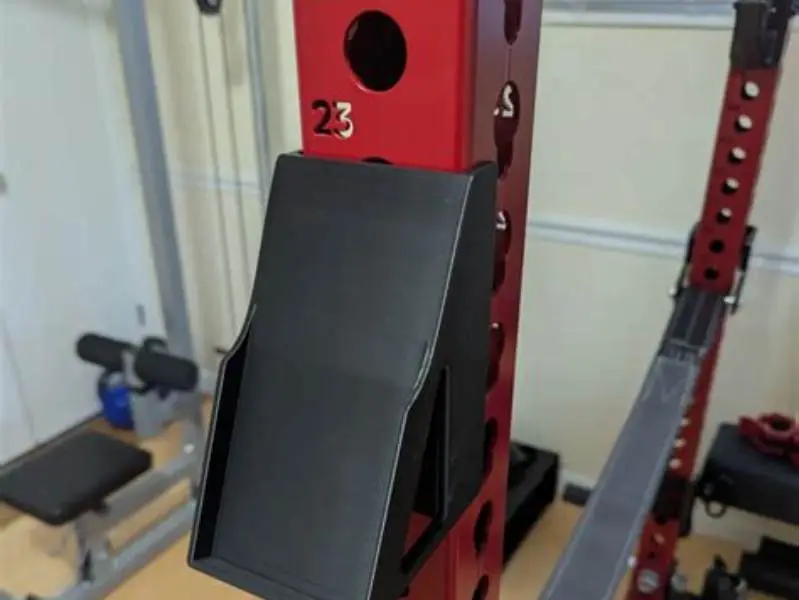
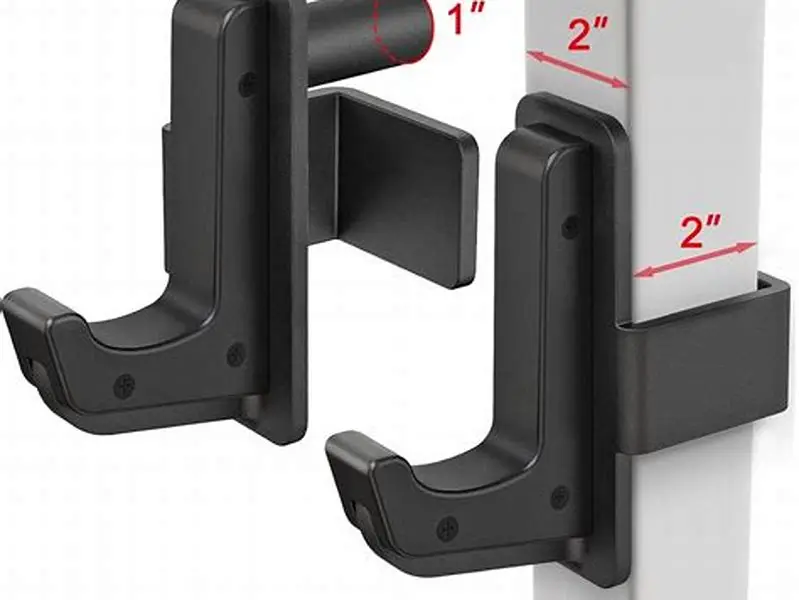
Olympic barbells measure 2 inches (50.8 mm) in diameter at the sleeve, and most power rack uprights and crossbars follow the same spec. That dimension became the standard because Olympic lifting federation rules fixed it in the 1920s, and rack manufacturers built around it. If your rack was sold as compatible with Olympic bars, the horizontal bars likely sit between 1.9 and 2.1 inches.
Measure your bar with calipers or wrap a tape measure around it and divide by 3.14. Budget racks sometimes use 1.75-inch tubing to cut material costs. Specialty bars vary more: a safety squat bar might run 2.2 inches at the yoke, and log bars or fat-grip bars can hit 3 inches. Phone mounts sold as universal typically accommodate 1.9 to 2.2 inches.
The clamp must span the bar diameter plus the thickness of its own rubber padding when compressed. A clamp rated to 2 inches will not close around a 2-inch bar once the padding is squeezed. That's why the spec says maximum opening, not bar diameter. Add 0.1 to 0.2 inches to your measured bar size to find the minimum clamp opening you need.
Crossbars on the front and back of a rack are often thinner than the uprights. The pull-up bar at the top may be thicker or knurled. Measure the specific bar you plan to clamp to, not just the main uprights. For the detail, see our notes on phone holder tripod mount.
What a j-hook bar clamp phone holder is and how it works
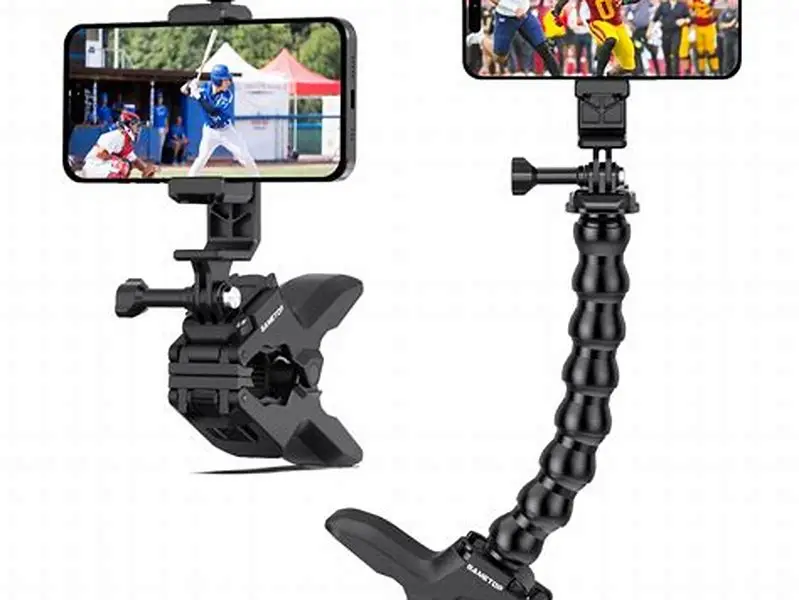
A j-hook bar clamp is a C-shaped metal or plastic bracket with a screw knob or hex bolt that tightens the clamp around the bar. The inside of the clamp is lined with rubber or silicone to grip without scratching. The phone cradle sits on a short arm extending from the clamp body, usually mounted on a ball joint or hinge so you can angle it toward your lifting position.
The name comes from the shape: the clamp forms a hook that hangs on the bar from above or grips it from the side. Tighten the screw and the clamp squeezes closed. The rubber padding compresses slightly, increasing friction. A properly tightened clamp won't slide even when the rack shakes from a heavy set of squats dropping onto the j-hooks.
Most designs let you rotate the cradle 360 degrees and tilt it forward or back by about 180 degrees. The phone sits in spring-loaded grips or an adjustable frame that holds screens from 4.7 to 6.8 inches. Some cradles have a second tightening screw to lock the angle once you've set it. Without that lock, the weight of a large phone can tilt the cradle down over time. Before you commit to anything, it is worth looking at phone cradle fitting 32 mm upright.
The arm between the clamp and cradle is usually 4 to 7 inches long. A longer arm lets you position the screen farther from the bar, which helps if your rack's uprights would otherwise block the view. A shorter arm keeps the phone closer and reduces use that might loosen the clamp. Check that the arm won't hit your bar path during a lift.
How bar clamp phone holders attach to squat rack bars
Attachment starts with opening the clamp wide enough to slip over the bar. Most clamps have a threaded rod running through the back of the C, controlled by a plastic knob or metal hex bolt. Turn the knob counterclockwise to widen the gap. Slide the clamp onto the bar from above or from the side, depending on where your rack's crossbars and uprights meet.
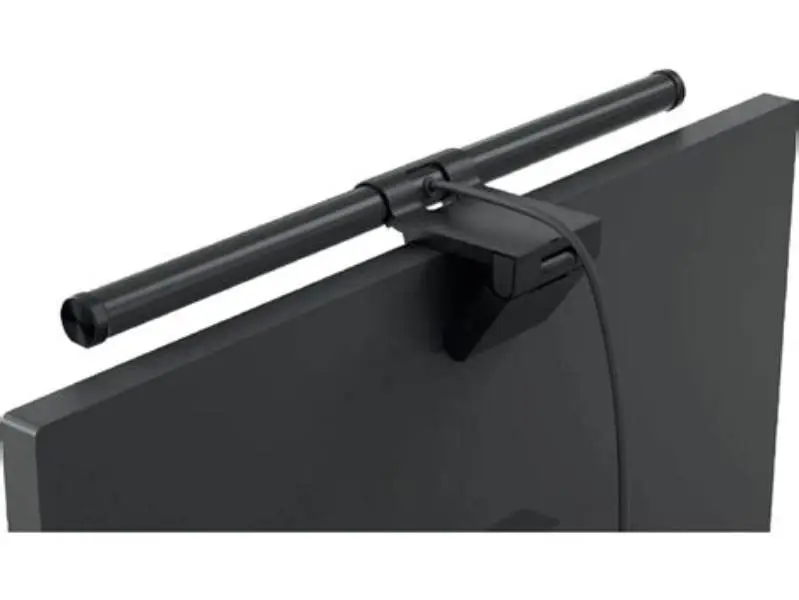
Position the clamp where it won't interfere with your grip on the bar or block the j-hooks when you rerack. Horizontal crossbars near the top of the rack are common choices. Once the clamp is in place, turn the knob clockwise. The clamp closes until the rubber padding contacts the bar. Keep tightening until you feel strong resistance: the rubber should compress by about 1 to 2 mm. We go through Crest light bar mount step by step elsewhere on the site.
Test stability by trying to rotate the clamp around the bar. If it spins or slides, tighten further. The clamp should resist a firm push. Some designs include a secondary lock nut behind the knob to prevent loosening from vibration. If your mount has one, snug it down after the main knob is tight.
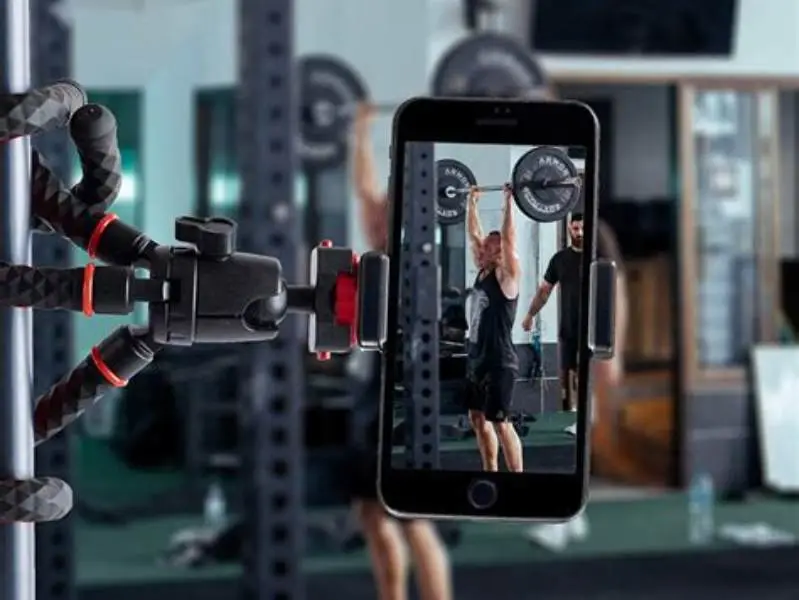
Adjust the cradle angle next. Loosen the ball joint or hinge screw, rotate the cradle to portrait or landscape, and tilt it toward your line of sight during a lift. Retighten the joint screw. Place your phone in the cradle and check that the grips hold it without pressing any buttons. If the power button or volume rocker sits under a grip, rotate the phone 180 degrees.
- Open the clamp by turning the knob counterclockwise until the gap exceeds your bar diameter by half an inch.
- Slide the clamp onto the bar and position it clear of your lifting path and j-hooks.
- Tighten the knob clockwise until the rubber padding compresses visibly and the clamp resists rotation.
- Adjust the cradle angle, then lock the ball joint or hinge screw.
- Insert your phone and confirm the grips don't press buttons or block the screen.
Most squat rack phone mounts fail because the bar diameter wasn't checked first, and a clamp sized for a pull-up bar won't grip a thicker Olympic bar.
Compatibility tips for squat rack bars and phone mounts
Start by measuring every bar on your rack that might work as a mount point. The top pull-up bar, front and rear crossbars, and even the uprights themselves can all serve, but they rarely share the same diameter. Write down each measurement. A mount that fits the 2-inch front crossbar may not fit the 2.2-inch pull-up bar.
Check the clamp's maximum opening in the product description. Sellers list it as maximum bar diameter or clamp range, like 1.5 to 2.2 inches. If the spec is missing, look for a photo showing the clamp fully open next to a ruler, or find the model name and search for a manual. A clamp that opens to 2.2 inches covers most standard racks and Olympic bars.
Consider bar shape. Round bars work with all clamps. Square or rectangular tubing, common on budget folding racks, won't fit a C-shaped clamp because the padding can't compress evenly around corners. For those, look for a clamp with a flat back designed for square tubes, or mount the phone on a tripod with a magnetic base instead.
Test the mount on a non-critical bar first if your rack has one. Clamp it to a low crossbar and shake the rack by hand. The mount should stay fixed. If it slides or rotates, the clamp is undersized or the padding is too soft. Harder rubber grips better than soft silicone, but it also transfers more vibration to the phone.
Weight matters less than grip. A heavier mount with better padding will stay in place longer than a light one with thin foam. If you plan to film your lifts, avoid mounts with plastic clamp bodies: they flex under the weight of a large phone and a sudden rack shake can tip the cradle.
Avoid mounts advertised as universal unless the spec confirms your bar size. Universal usually means 1.5 to 2 inches, which leaves out thicker bars. Also skip adhesive mounts or magnetic plates that stick to the rack frame. Both fail under the vibration from dropping a loaded bar.
| Bar type | Typical diameter | Clamp opening needed |
|---|---|---|
| Olympic barbell sleeve | 2 inches (50.8 mm) | 2.2 inches |
| Power rack crossbar | 1.9–2.1 inches | 2.2 inches |
| Pull-up bar (standard) | 1.9–2.2 inches | 2.3 inches |
| Budget rack tubing | 1.5–1.75 inches | 1.9 inches |
| Specialty thick bar | 2.5–3 inches | 3.2 inches |
When a bar clamp won't work and what to use instead
Bar clamps fail on racks with square or rectangular tubing because the C-shape can't close evenly around corners. The rubber padding contacts only two points, and the clamp rocks side to side. For square-tube racks, a flat-back clamp with a wider jaw works better, or a phone holder on a freestanding tripod placed beside the rack.
Bars thicker than 2.5 inches exceed the range of most clamps. Specialty bars like logs or fat-grip axles are too wide for the clamp to span, even fully open. Use a tripod with a magnetic phone mount instead, or a floor stand that doesn't attach to the rack at all. Magnetic mounts stick to your phone's MagSafe ring or a metal plate on the case, so the rack's material doesn't matter.
High-impact training can shake even a well-tightened clamp loose over time. If you drop the bar onto the j-hooks from overhead height regularly, the repeated shock can work the clamp's screw loose. Check tightness every few sessions. Some lifters wrap a rubber band around the clamp body and bar as a backup, or use a mount with a locking nut behind the knob.
Clamps also struggle on racks with very thin bars, like 1-inch uprights on older home gyms. The clamp closes completely before the padding makes contact, leaving the cradle loose. For those, adhesive phone holders or wall-mounted arms are better choices, assuming you're training in a fixed location.
If your rack has no horizontal bars in your line of sight, a clamp won't help. Some racks have uprights only, with no front or rear crossbars. In that case, mount a short extension arm to the upright using a larger clamp or U-bolt, then attach your phone holder to the arm. Or skip the rack entirely and use a floor tripod positioned a few feet in front of you.
- Fits round bars between 1.9 and 2.2 inches reliably
- No tools needed beyond the built-in knob or a hex key
- Adjustable angle and rotation for any screen orientation
- Removes in seconds when you need the bar clear
- Won't fit square tubing or bars over 2.5 inches
- Can loosen under repeated heavy drops onto j-hooks
- Cradle may tilt down with large phones unless locked
- Arm length sometimes blocks view if uprights are close
Choosing between screw-knob and hex-bolt clamps
Screw-knob clamps use a large plastic or rubberized knob you turn by hand. They tighten quickly and need no tools. The knob gives good leverage, so you can apply enough force to compress the rubber padding fully. Most knobs are 1.5 to 2 inches in diameter, large enough to grip even with sweaty hands.
Hex-bolt clamps replace the knob with a metal bolt head, usually 5 mm or 6 mm. You tighten it with an Allen key. Hex bolts can apply more torque than hand knobs, which helps on thick bars where the clamp must close farther. The downside is needing to keep a hex key nearby every time you adjust the mount. Some designs include a fold-out key stored in the clamp body.
Lever-lock clamps combine a hinged lever with a cam mechanism, similar to a quick-release bicycle seat post. Flip the lever and the clamp opens; flip it back and it locks. These are faster than screws but rare on phone mounts because the cam can slip if the bar diameter is outside the narrow range the lever is calibrated for.
For most home gym setups, a screw-knob clamp is enough. You mount the phone once per session and leave it there. Hex-bolt clamps make sense if you share a rack and need to remove the mount after every workout, or if you're clamping to a thick pull-up bar where hand strength isn't enough to close the clamp. Lever locks suit mobile setups where you move the mount between different bars multiple times a day.
FAQ
Can I mount a phone holder on the upright post of a squat rack instead of a crossbar?
Yes, if the upright is round and within the clamp's diameter range. Uprights are often thicker than crossbars, so measure first. Position the clamp where it won't block your movement or interfere with safety bars. Vertical mounting can make it harder to see the screen depending on your angle during a lift.
Will a bar clamp scratch the powder coating on my rack?
A properly lined clamp with rubber or silicone padding should not scratch powder coat. Clamps with bare metal or thin foam can wear through the finish over time. If your rack has expensive custom coating, wrap the bar with a thin layer of rubber tape before clamping, or use a clamp with thicker padding.
Do bar clamp phone holders work with thick phone cases?
Most cradles fit phones in cases up to about 0.4 inches thick, which covers standard silicone and hybrid cases. Thick rugged cases with built-in kickstands or belt clips may not fit. Check the mount's maximum width spec, usually listed as the phone dimension including case. OtterBox Defender-style cases often exceed the limit.
How often do I need to retighten the clamp?
Check tightness every few sessions, or any time the rack takes a hard impact from a dropped bar. Vibration can loosen the screw over weeks of training. If the clamp has a lock nut, use it: it prevents the screw from backing out on its own. A clamp that loosens every session is undersized or has worn padding.
Can I use a bar clamp mount on a Smith machine bar?
Smith machine bars are usually 1.6 to 2 inches in diameter and round, so a standard clamp will fit. The bar moves vertically, though, so clamp to a fixed horizontal guide rod or the frame instead of the bar itself. Clamping to the moving bar means your phone rides up and down with every rep, which makes the screen hard to read.