Which clamp mounts fit a monitor light bar with a spring-clamp foot

Use a small-jaw C-clamp or flat-bar mount that grips a thin rectangular edge, not a tube clamp for gym racks. Monitor light bars with spring-clamp feet, like BenQ ScreenBar-style designs, have thin flat edges. Most 25-50 mm rack clamps are too large and will slip or tilt.
On this page (8 sections)
- Remember this
- Monitor light bar clamp mount: what fits and why
- Measuring: how to measure the monitor light bar clamp area
- Options: types of clamp mounts that fit thin flat light bars
- Problems: fit issues and what to avoid when mounting
- Stability: tips for a secure clamp mount on monitor light bars
- Check: final fit test before training with it
- FAQ
Part of our guide on phone mount for 2 inch squat rack tube
Fast facts
- Clamp edge thickness
- typically under 15 mm, measure yours
- Usable flat width
- measure where clamp will sit
- Tube clamps fit?
- no, designed for round posts
- Best clamp type
- small C-clamp, flat jaws
- Check for slip
- tug + shake 30 sec
- Avoid
- diffuser or hinge pressure
Remember this
- Measure thickness, width and depth of the light bar housing before you buy any clamp.
- Choose a flat-bar C-clamp, not a round-tube gym mount, for a secure grip.
- Avoid clamps that pinch the light diffuser or sit on the hinge.
- Test with a firm tug and a 30-second vibration check before you train.
Monitor light bar clamp mount: what fits and why
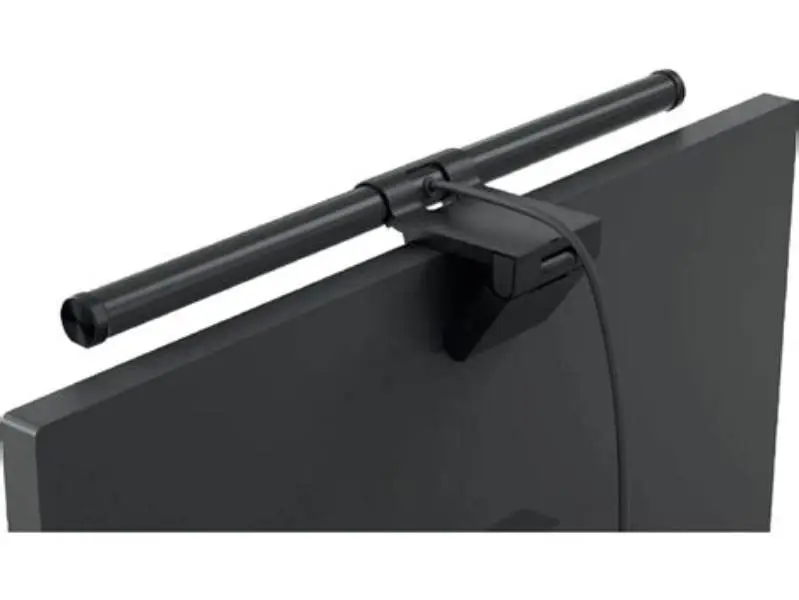
Monitor light bars with spring-clamp feet sit on top of your monitor with a flat clamp that pinches the bezel or the light housing. The edge is thin and rectangular, usually under 15 mm thick, but you should measure your own. The flat width also varies. This edge is not a round tube like a squat rack or spin bike handlebar, so the clamp must fit that shape.
Gym phone mounts expect a round post of 25 to 50 mm diameter and use a curved jaw. That jaw makes line contact on a flat bar and will slip or tilt the phone. The clamp that fits is a small flat-jaw C-clamp or a desk-edge clamp with parallel pads, often sold for lights, cameras or monitors, with a jaw opening that can close near zero and a throat depth that suits your bar's thickness.
Three things matter for compatibility: The jaws must close flat on the housing without touching the diffuser or hinge. The pads should be flat and rubber-covered to grip without denting. The screw or lever must tighten with one hand and hold under a firm tug. If any of these fail, the mount will drift mid-set. Choose the flat clamp, not the tube clamp.
- flat jaws grip thin rectangular edges
- low profile keeps light beam clear
- rubber pads protect housing
- smaller load limit than rack clamps
- needs careful pad placement
- not for thick round posts
Measuring: how to measure the monitor light bar clamp area
Guessing won't work. Two minutes with a ruler or calipers saves a return. You need three measures: thickness of the flat where the clamp will sit, width of that flat, and clear depth before you hit the hinge or diffuser. Measure exactly where you plan to clamp, not the thinnest or easiest spot. If that sounds like your situation, read up on galaxy s24 plus magnetic wallet options next.
Thickness is the jaw opening you need. Width is how long the flat area stays flat before curving. Depth is how far the clamp can reach in without pressing the diffuser or hinge. These vary by monitor model and how the clamp foot is seated.
Write these three numbers down. Compare them to clamp listings, which should state jaw opening range, jaw width and throat depth. If a clamp only lists a fit for round tubes, skip it. No flat width means no safe fit.
- Power off the light and let it cool. Close the clamp as you normally use it.
- Measure thickness: place calipers over the flat housing where the new clamp will bite. Note millimeters.
- Measure flat width: lay a ruler along the bar top and note how long the flat stays flat before it curves.
- Measure clear depth: check distance from rear edge to hinge or diffuser. That is your max throat.
- Photo the spot with the ruler in frame for reference when you shop.

Digital Caliper, Esydon Upgraded Calipers 6 inch, Measuring Tool, Electronic
Lets you confirm the clamp thickness and flat width before ordering with 0.2 mm precision over a 150 mm span.
Options: types of clamp mounts that fit thin flat light bars
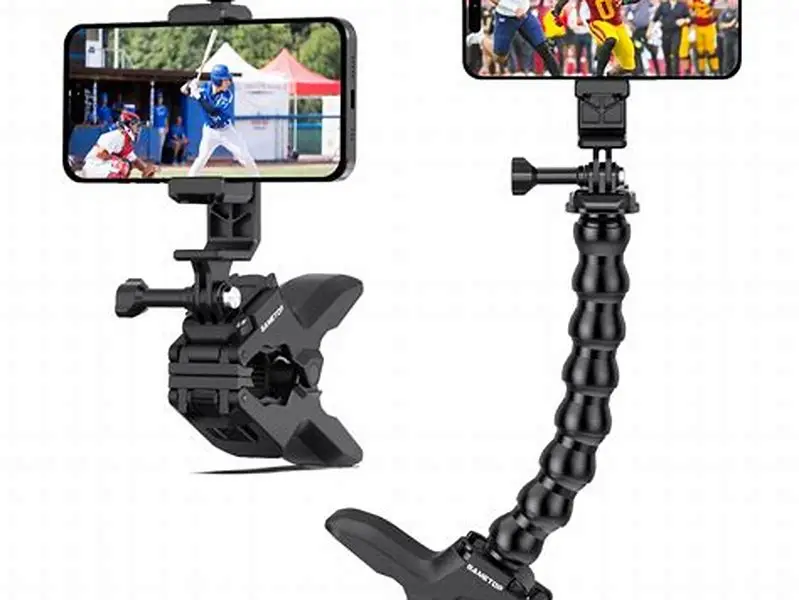
When searching for a phone holder, you see four mount types. Only two fit a thin flat housing well: small flat-jaw C-clamps and desk-edge monitor clamps. Articulating arm clamps with a flat base can work if the base is narrow and the arm short. Round tube clamps and large super clamps usually do not fit well due to their curved jaws and larger openings. It helps to understand bar-mounted phone holder before going further.
Look at the jaw specs, not just photos. A suitable mount lists a jaw opening starting near zero and a max under about 20 mm, with flat rubber pads about 20-40 mm wide. It tightens with a thumbscrew or lever you can snug by hand. A tube clamp lists a round range like 25-44 mm and has a V-shaped jaw that rocks on a flat bar and loosens with vibration.
Weight matters too. A phone in a case weighs about 170 to 250 grams. A light arm's load rating depends on the reach where it was tested. Short, flat arms put less force on the mount and hold steadier than long goosenecks. Pick short and flat over long and curved.
| Mount type | Jaw shape | Opening range | Fit on flat light bar |
|---|---|---|---|
| Small C-clamp, flat pads | flat, parallel | near 0 to ~20 mm | good, if pad width ~20-40 mm |
| Desk-edge monitor clamp | flat, wide | near 0 to ~18 mm | good, check throat depth |
| Articulating arm with flat base | flat, small | near 0 to ~15 mm | often good, keep arm short |
| Round tube gym clamp | curved V | 25-50 mm round | poor, rocks and slips |
| Large super clamp | mixed, wide | wide range | poor, bulky for thin housing |
Most gym clamps won't fit a monitor light bar with a spring clamp foot. A smaller, flatter jaw you likely have for a desk works better.
Problems: fit issues and what to avoid when mounting
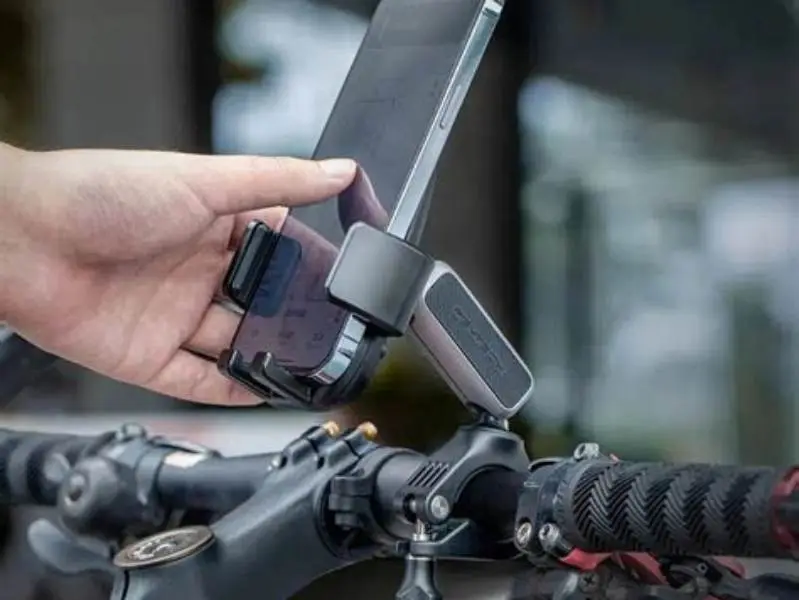
The top issue is the clamp biting the wrong spot. Pads that sit on the diffuser lens or the spring hinge cause flicker, tilt, or slow droop. Keep both pads fully on solid housing behind the light and clear of the lens edge by at least 5 mm. The diffuser is thin plastic and it cracks or hazes under local pressure. The other half of this decision is secure phone placement on drop bars.
A second issue is jaw shape. A V-jaw made for 12-22 mm tubes touches a flat bar on a line, not a patch. It feels tight at first, then loosens with taps or desk vibration. Rubber pads help for a day, but they cannot fix wrong geometry. If you retighten every session, change the clamp type.
Beam and sensor block is next. Many bars throw light forward from a sharp top edge and hide an auto-dim eye on top. A tall holder set right above the edge casts a shadow and fools the sensor. Keep the phone low and to the side so the holder stays under the light line. Test in a dark room with the bar at 100% and watch for flicker.
Long arms make it worse. A 150-200 mm gooseneck magnifies every tap into blur. Use a short rigid arm under 80 mm when you can, and clamp near the monitor's center for balance. That's the fix. Tighten to firm hand pressure only and stop if the housing flexes.
- Hinge pinch: clamp on spring joint causes bar droop.
- Lens pressure: pad on diffuser scatters light and may damage.
- V-jaw rock: tube clamp rocks side to side and loosens.
- Sensor cover: holder blocks auto-dim eye causing flicker.
- Long arm sway: gooseneck amplifies taps into blur.
Stability: tips for a secure clamp mount on monitor light bars
Stability comes from contact area, not just force. Clean both clamp pads and light bar surfaces with a dry cloth to remove dust. Set the clamp so both pads sit fully on flat housing, with the screw centered over the housing, not hanging off an edge. Tighten firmly by hand.
Test stability by hanging your phone on the clamp and pulling down with your hand's weight. If you see movement, reposition the clamp for better contact. Avoid long lever arms. Holding a phone 80-120 mm from the clamp puts less force on the bar than 200 mm on a long neck. Short, stiff arms keep video steadier.
Check heat and weight over the first week. Light bars can get warm, reducing rubber grip slightly. Pads may settle and need a small adjustment. If you add weight like a MagSafe or Qi2 ring, retest stability.
- Clean first: dust reduces grip.
- Center pads: full flat contact, no overhang on diffuser or hinge.
- Short arm: keep phone 80-120 mm from clamp.
- Route cable down stand to avoid pull.
- Recheck tightness after two or three sessions.
- short arm reduces sway
- centered pads increase holding power
- easy one-hand tightening
- less framing range for video
- needs recheck after heat cycles
Check: final fit test before training with it
Do a bench test before trusting the mount in workouts. With the phone mounted, tap the screen to start a timer, then lightly shake the desk edge for five seconds. Watch the phone's horizon. It should not visibly shift or tilt. Any steady slide means the pads are on a curve or the jaw is too wide. Re-seat the clamp on a flatter section and try again.
Next, turn the light on in a dark room and look at the desk. The light should be even with no hard shadow from the holder. Wave your hand over the sensor if your model has one. The brightness should stay steady. If it flickers, move the holder sideways by about 10-20 mm until the sensor stabilizes.
Run a one-song trial with real movement. Do burpees or fast pedaling that shakes the floor. If the phone stays put and the light bar doesn't tilt forward, the mount is secure. Mark the clamp spot with a pencil for next time.
- Mount phone, tap screen five times, watch for tilt or creep.
- Shake desk lightly for 5 seconds, check for visible shift.
- Turn light on, check for shadow or flicker, offset if needed.
- Do one song of movement, recheck clamp tightness and bar angle.
- Mark the flat spot where the clamp held well.
For monitor light bars with spring clamp feet like BenQ ScreenBar-style designs, skip tube clamps. Use a small flat-jaw C-clamp or desk-edge clamp that closes near zero and keeps the beam clear.
FAQ
Can I use a standard gym tube clamp on a monitor light bar with a spring clamp foot?
Usually no. Tube clamps fit round posts 25-50 mm diameter. Light bars have thin flat edges under 15 mm thick. Tube jaws make line contact on flat bars and slip. Use flat-jaw C-clamps or desk clamps with jaw openings near zero instead.
Will a phone clamp damage the monitor light bar?
It can if pads sit on the diffuser or hinge. Keep pads on solid housing only, use rubber-covered flat jaws, and tighten by hand. If you see lens flex or hear creaking, move the clamp rearward onto flat plastic or metal housing.
How do I know the clamp is tight enough without over-tightening?
Hand snug plus a simple pull test is enough. Hang your phone and pull down with your hand’s weight. The mount should not visibly move. If it does, reposition for better flat contact rather than tightening harder. Recheck after a few warm sessions.
What if my monitor bezel is very thin or curved?
Clamp to the light housing itself, not the bezel, if the bezel is thin or rounded. Measure the housing flat and choose a clamp with pads that fit that flat width. Small C-clamps often fit better than wide desk clamps here.
Does the phone block the auto-dim sensor on the light bar?
It can if the holder sits directly over the sensor eye on top of the bar. Offset the phone 30-50 mm to the side and keep the holder below the light edge. Test in a dark room; the beam should stay even with no flicker.