Can a magnetic phone holder damage your phone and how to remove it

No, a modern magnet holder won't damage most phones when placed correctly. It can temporarily throw off the compass and interfere with wireless charging or MagSafe alignment, but it doesn't erase data or ruin the battery. Risk rises with strong, badly placed magnets.
On this page (8 sections)
- Remember this
- Verdict: is a magnet holder bad for phone use day to day
- Operation: does a magnetic holder affect phone operation or data
- Hardware: can magnets harm phone hardware or battery
- Strength: which magnet type holds without causing trouble
- Removal: how to safely remove a magnetic phone holder without damage
- Placement: where to put the magnet so it grips and stays safe
- FAQ
Part of our guide on magnetic bike bottle holder
Fast facts
- Data loss risk
- None for flash storage
- Compass effect
- Temporary, 10-30° near magnet
- Wireless charging
- Fails if magnet covers coil
- Battery harm
- No damage from static magnet
- Safe pull force
- ~15-30 N holds fine
- Removal heat
- 60-70°C softens adhesive
Remember this
- Keep magnets off the centre coil and camera module and most issues disappear.
- If the compass snaps back after you lift the phone, the mount is fine to keep using.
- Choose the lightest hold that survives bumps; brutal grip causes more trouble than it solves.
- Heat and slow peeling remove plates cleanly, prying cold tears paint and cases.
Verdict: is a magnet holder bad for phone use day to day
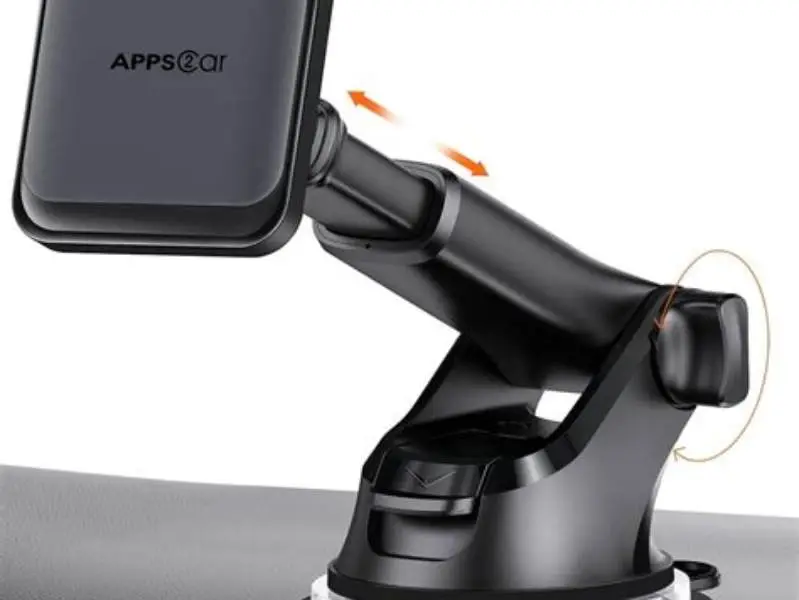
We get asked is magnet holder bad for phone a lot in the gym. Short answer is no for most phones made in the last six or seven years. The flash storage inside your phone does not care about the 30-50 N pull of a typical car or gym mount. The glass, the Li-ion battery, the processor, none of them are magnetic in a way that matters. What does react is the compass, the charging coil, and sometimes the camera stabilizer if the magnet sits right on top of it.
You will see two different outcomes. A rider with a MagSafe ring on the back, centered over the coil, parks and navigates all day with no issue. A lifter sticks a thick 3M plate with a big rectangular magnet low on a budget case, covers the coil, and now wireless charging stops and the map spins. Same idea, different placement. The magnet is not the whole story. Location and strength decide.
Our rule of thumb is simple. If the mount holds with light fingertip pressure and the compass returns within a few seconds after you lift the phone, you are fine. If you need two hands to yank it off, the magnet is stronger than you need. Choose the weakest hold that still survives your use. That keeps sensors happy and cases intact.
Operation: does a magnetic holder affect phone operation or data
A magnetic holder can affect operation while the phone is on it, but it does not wipe data. Modern phones use flash memory for storage, not a spinning hard drive. Flash does not care about the ~0.1-0.3 T field at the surface of a small mount magnet. Your photos, apps and files stay as they were. We have never seen data loss from a car or gym mount at normal strength. We go through repairing a magnet step by step elsewhere on the site.
What you will notice is the compass. The magnetometer is designed to sense the earth's weak field, so a nearby magnet pulls it off by 10 to 30 degrees or more. Maps may point the wrong way and the blue dot may wobble until you lift the phone. NFC and Qi2 coils can also be blocked if a metal plate sits over the centre of the back. Payments may not tap, and wireless charging may pause or heat up.
The effect is temporary and distance dependent. Move the phone 2 to 3 cm away and readings return. In our use, a centered MagSafe ring causes less compass error than a steel plate stuck off centre, because the ring's field is shaped around the coil. If navigation matters to you, test it. Open the compass, set the phone on the mount, then lift it. You want a quick return to true north.
Hardware: can magnets harm phone hardware or battery
Can magnets harm phone hardware or battery in normal use? For the battery, no. A Li-ion cell is chemical, not magnetic. A static magnet does not charge it, discharge it, or swell it. Heat does that. A mount that blocks wireless charging and makes the coil run hot for a long time is a heat problem, not a magnet problem. Keep charging clear and the battery is fine. Before you commit to anything, it is worth looking at checking for magnet interference.
The camera stabilizer is the one hardware bit to respect. Many phones use a tiny voice-coil motor for optical stabilization. A strong magnet stuck right over the camera island can tug on that motor. You may see a shaky preview, a buzz, or a focus that hunts while mounted. It settles when you remove the field. We avoid placing any thick plate within about 10 mm of the lens module for that reason.
Other parts are robust. Speakers and vibration motors have their own small magnets and shrug off a mount. Buttons, antennas and screens are not affected. Real damage we see comes from leverage, not magnetism. A phone that is hard to pull off gets flexed, a case lip tears, or a dash pad stays stuck and takes trim with it. Mount placement matters more than magnet mystique.
| Part | Sensitive to mount magnet? | What you see |
|---|---|---|
| Flash storage | No | No data loss or corruption |
| Li-ion battery | No | No direct harm; heat only if charging blocked |
| Compass / magnetometer | Yes, temporary | Heading off 10-30°, returns when removed |
| Wireless charging / NFC | Yes if covered | Charging stops, tap to pay fails |
| Camera OIS motor | Sometimes if very close | Shaky preview or focus hunt |
Your phone's compass will wobble near a mount long before the battery or storage even notices the magnet.
Strength: which magnet type holds without causing trouble
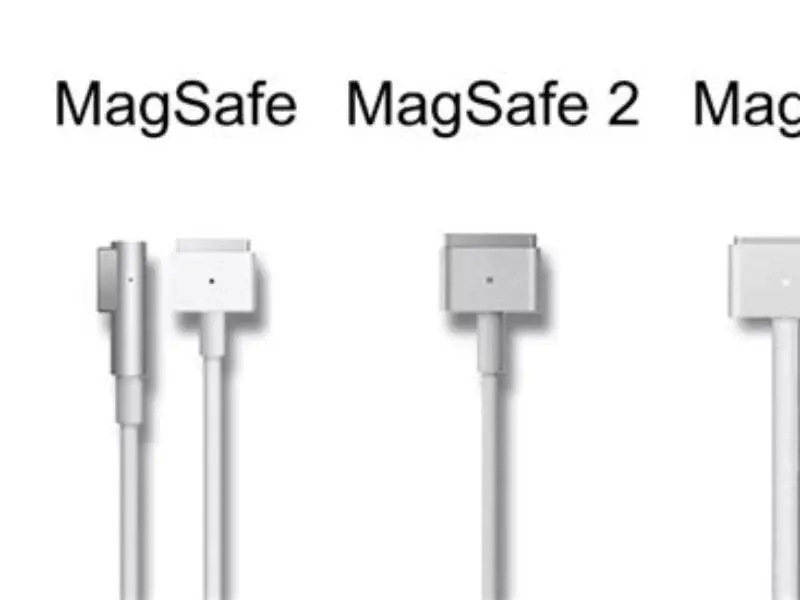
Not all magnetic holds are equal. For gym and bike use you want steady shear strength that resists sliding, not just straight pull. A MagSafe style ring spreads force around the coil and centres the phone. A flat rectangular plate with a single block magnet pulls hard in one spot and can slide under vibration. A clamp with magnets plus a lip holds best on a treadmill where sweat and bounce work against you. We cover are MagSafe 2 and 3 compatible in its own article.
Typical useful pull is modest. Around 15-30 N (about 1.5 to 3 kg of pull) holds a cased phone on a smooth mount through a bumpy drive or a set of squats. More than 40-50 N feels impressive on the bench but fights you every time you grab the phone. It also raises the chance of covering the coil or tugging the stabilizer.
Pick by your case and mount. Thin MagSafe or Qi2 compatible cases with a built in ring work cleanly and keep the centre clear. Thick rugged cases often need a stick-on ring or plate. If you add a plate, choose a thin ring style that matches the coil area instead of a chunky bar magnet. You get a secure hold with less stray field.
- MagSafe / Qi2 ring: centred hold, less compass error, keeps charging free when aligned.
- Stick-on plate with bar magnet: strong spot pull, higher chance of blocking coil or camera.
- Hybrid mount with lip or cradle plus magnets: best for vibration, lets you use lighter magnets.
| Type | Typical pull | Best for | Watch for |
|---|---|---|---|
| MagSafe / Qi2 ring mount | 15-30 N | Car, gym rack, desk | Case must be MagSafe compatible |
| Stick-on steel plate + magnet | 25-50 N | Universal fit on any case | Covers coil, more compass shift |
| Cradle + magnets | 10-20 N + lip | Treadmill, spin bike, motorcycle | Needs correct phone size |
- rings centre the phone and keep charging clear
- lighter pull is kinder to cases and trim
- plates can block Qi2 and NFC if placed low
- extra strong magnets make daily removal a fight
Removal: how to safely remove a magnetic phone holder without damage
Most plates and rings are stuck with 3M VHB or similar foam tape. That tape is strong in shear and weak in slow peel with heat. Cold prying is how paint lifts and cases crack. Warm it and it lets go. Work slow and you leave no mark. Rush it and you buy a new case or respray trim.
You need little gear. A hair dryer or heat gun on low, some 90% isopropyl or citrus remover, fishing line or dental floss, and a plastic pry tool do the job. Metal screwdrivers gouge. Keep the phone out of the heat. You warm the plate, not the phone. If the holder is on a car dash, shield the surrounding vinyl with a bit of masking tape.
Plan on 10 to 15 minutes. Adhesive softens around 60-70°C, warm to the touch but not burning. On a hot summer dash the tape is already halfway there. In a cold garage it fights you. If you feel strong resistance, add more heat and pause. Slow wins.
- Take the phone and case off. Work on the plate or mount base only.
- Warm the plate edge for 60-90 seconds with a hair dryer 10-15 cm away. Keep it moving.
- Slide fishing line or floss under a corner and saw gently while lifting with a plastic pry tool. Add heat as you go.
- Once off, roll leftover foam with a thumb or eraser wheel. Do not scrape with metal.
- Dab isopropyl or citrus remover on residue, wait 30 seconds, wipe with microfibre. Wash and dry the spot.
- For dash or bike paint, finish with a quick wipe of interior cleaner so no film stays.
Placement: where to put the magnet so it grips and stays safe
Good placement solves most complaints before they start. On a phone with wireless charging, keep any added metal off the centre 70 mm circle. Put a ring around the coil, not a bar across it. On a case, centre the ring using the case maker's guide or the phone's coil position. You should still see the Qi2 alignment circle if your case has one.
On the mount side, keep the magnet away from the camera island. If you film workouts from a rack, set the mount arm so the phone's top edge, where the lenses sit, overhangs free. You get a stable shot without tugging the OIS motor. For cars, place the dash or vent mount where the phone does not block airbags and where you can lift straight up, not twist against trim.
Test before you commit. Clean the spot with isopropyl, hold the mount with painter's tape for a day, and live with it. Check three things: does it hold over bumps, does wireless charging start, and does the compass settle after you lift? If yes to all three, stick it for real. If not, shift 5 to 10 mm and try again.
- Centre ring: aligns with coil, best for charging and compass.
- Offset plate: often blocks coil, causes heat and failed charging.
- Near camera: risks shaky video while mounted, move plate down.
- On case vs on phone: on the case is safer and reversible.
- centre rings preserve charging and tap to pay
- case mounting keeps phone finish untouched
- thick or textured cases reduce hold
- off-centre plates block sensors more often
Magnetic holders are safe when centred and modest in strength; put the ring on the case, not a bar over the coil.
FAQ
Will a magnet erase my photos or apps?
No. Phones use flash storage which is not magnetic. A typical mount at 15-50 N cannot erase data. You may see compass or charging quirks while mounted, but files stay intact.
Why does my map point the wrong way on the mount?
The magnet pulls the compass off. Lift the phone a few centimetres and the heading returns in seconds. Move the plate away from the centre and keep it thin to reduce the shift.
Can a magnet damage wireless charging or the battery?
The magnet itself does not harm the battery. If a plate covers the coil, charging may stop or run hot. Keep the coil area clear and battery health stays normal.
My camera shakes on the magnetic mount. Is it broken?
Probably not. A strong magnet near the OIS motor can make the preview wobble. Move the magnet 10 mm away from the lens module and test again. The shake should stop off the mount.
How do I remove a plate that won't budge?
Warm it to 60-70°C with a hair dryer, slide floss under the edge, and peel slowly with a plastic tool. Add a dab of isopropyl or citrus remover for residue. Avoid metal tools and cold prying.