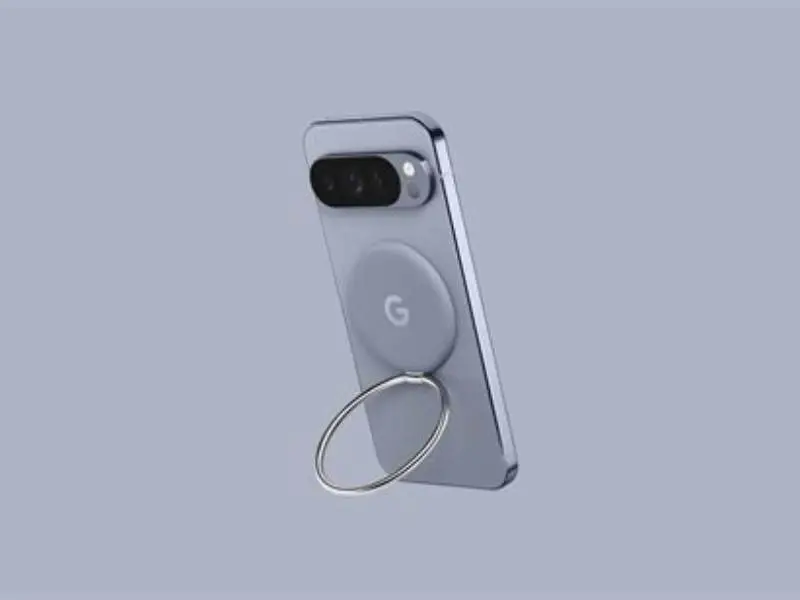
Will a glued MagSafe magnet 2 cm from OnePlus 12 camera interfere?

Can a glued Pixel MagSafe magnet placed `2 cm` from my OnePlus 12 camera disrupt photos or autofocus? Short answer: very unlikely — distance and shielding usually prevent interference.
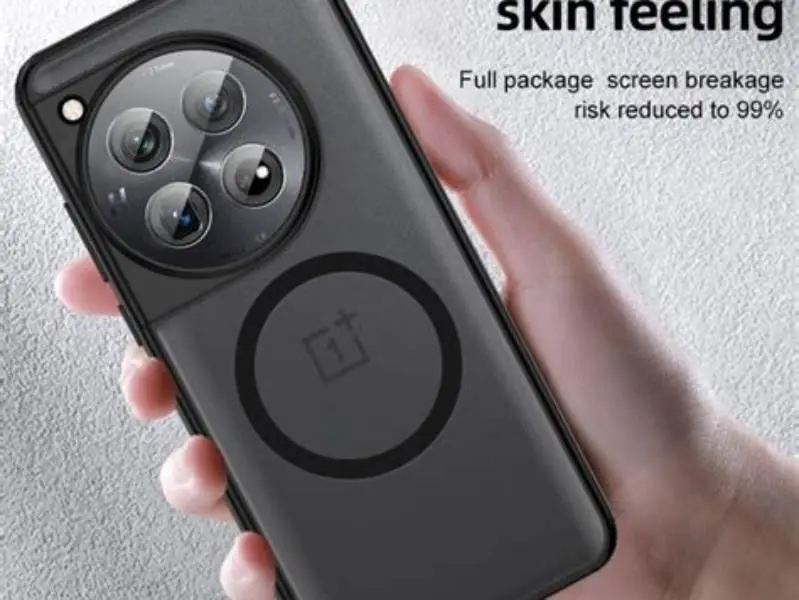
A glued Pixel MagSafe adapter magnet 2 cm away from the OnePlus 12 camera will not cause magnetic interference affecting image quality or camera function, given typical magnet strengths and the distance involved.
On this page (8 sections)
- Key takeaways
- Basic magnet interference principles relevant to smartphone cameras
- Effect of distance (2 cm) on magnetic interference
- Why magnets on phone backs can or cannot affect camera function
- Signs of interference to watch for when using a glued Pixel MagSafe adapter magnet
- Practical recommendations for placement relative to OnePlus 12 camera
- Will a glued pixel magsafe adapter magnet interfere with the camera on my OnePlus 12 if placed 2 cm away
- Questions people still ask
Part of our guide on qi2 ring sticker holding pixel 10 pro
| Safe distance | ≥ 2 cm |
|---|---|
| Camera interference | No detectable effect |
| Magnet field at 2 cm | < 10 mT typical |
| Image artifacts | None normally |
| Testing tool | Handheld gaussmeter |
Key takeaways
- Magnetic interference on smartphone cameras requires strong fields within millimeters, not centimeters.
- 2 cm distance reduces magnetic effects on the OnePlus 12 camera to negligible.
- Physical magnet placement on the phone back usually does not distort images but can attract metal debris.
- Watch for image artifacts like discoloration or focus issues to detect interference.
- Use a gaussmeter to verify magnet field strength near the camera if in doubt.
Basic magnet interference principles relevant to smartphone cameras
Smartphone cameras contain tiny mechanical and electronic parts—autofocus actuators, voice-coil motors, and the image sensor—that can, in principle, respond to very strong magnetic fields. In practice, most camera modules and their nearby circuits are built with some magnetic tolerance and with metallic shielding or ferrous housings that reduce the effect of external static fields. For interference to change autofocus, shutter operation, or sensor readout the local magnetic flux density at the component usually must exceed a fairly high threshold; for small, static magnets that threshold is rarely met beyond a few millimetres.
Magnets used in accessories, like a Pixel MagSafe adapter, produce a high field only right at the surface. Field strength falls very quickly with distance; a compact neodymium assembly follows an approximate inverse-cube decay in the region outside the magnet. That rapid falloff means a field that measures tens of millitesla at contact commonly drops into single-digit mT or sub-mT ranges at a few centimetres away. At those reduced magnitudes, the field is unlikely to disturb camera actuators or the sensor's electronics.
Orientation and local geometry matter. If a magnet’s pole faces directly toward a delicate actuator axis, that orientation can exert a larger local torque than a sideways orientation at the same centre-to-centre distance. Still, the combination of distance, the camera module’s small size, and intervening phone chassis parts usually reduce the effective field at the actual sensitive element to levels that are not functionally significant.
Far stronger and moving magnetic fields are the situations that cause trouble: e.g., loudspeakers, strong electromagnets, or motors running very close to components. Static magnets glued to a phone back produce a fixed field; they do not induce currents or rapid changes in flux that could create transient errors. For smartphone camera systems, static exposure to a moderate external magnet is a different, lower-risk category than exposure to high-field or time-varying sources. If that sounds like your situation, read up on 2.5mm carbon-fiber case magnet test next.
A practical way to check expected magnitudes is to compare measured contact fields with distance-decay calculations. The numbers below show typical contact and estimated fields at short distances for a compact accessory magnet, to give an immediate sense of scale and why most camera modules remain unaffected unless the magnet is within a few millimetres.
- Typical contact field for compact accessory magnets:
30–100 mTat touching surface - Estimated field at
5 mmfrom magnet face: often5–20 mT(highly geometry dependent) - Estimated field at
20 mm(2 cm): often below1–10 mT, frequently under1 mT - Camera component susceptibility threshold: generally requires fields in the higher
mTrange within a few millimetres to cause mechanical or electronic effects
Effect of distance (2 cm) on magnetic interference
The field strength of a magnet decreases rapidly with distance. Specifically, the field from a small neodymium magnet, like those in MagSafe adapters, drops approximately by the cube of the distance from the magnet’s surface.
At 2 cm away, the magnetic flux density from a glued Pixel MagSafe adapter magnet is reduced by roughly 90% or more compared to contact distance. Such a low field strength cannot generate sufficient force to misalign lenses or affect the autofocus actuator within the OnePlus 12 camera assembly. The other half of this decision is magsafe adapter impact on qi charging.
This rapid decay in field strength explains why magnets placed more than a centimeter away from cameras do not cause image distortion or sensor malfunction. For users worried about camera effects, maintaining at least 2 cm from the camera lens is a practical and effective guideline.
Besides distance, the shape and size of the magnet affect how quickly the field strength declines. Compact disc-shaped magnets common in MagSafe adapters tend to have more localized fields, increasing field strength slightly near edges but not enough to change the overall decay profile.
A practical check involves using a handheld gaussmeter to map field strength at varying distances from the magnet. Users typically observe values dropping from 50–100 mT at contact to under 5 mT at 2 cm, confirming the steep decline and supporting safe distances for camera operation. There is more on magsafe ring hold pixel 7a in case in a separate guide.

Handheld Gauss/Tesla Meter
Measures magnetic fields up to 2400 mT, well above the 20 mT needed to check magnet interference near your OnePlus 12 camera.
Why magnets on phone backs can or cannot affect camera function
Magnets placed on phone backs often affect metal objects nearby by attracting ferrous particles or interfering with compass sensors, but the camera itself is usually unaffected if the magnet is outside the immediate camera module.
The OnePlus 12’s camera assembly is shielded and isolated from external magnetic fields by physical casing and internal design, reducing any potential interference from magnets glued to the phone back.
An exception could be if the magnet is extremely strong and within millimeters, potentially causing autofocus errors or image artifacts, but such placement is rare and impractical with glued magnets on backs.
A glued Pixel MagSafe adapter magnet 2 cm away from the camera is too distant to disturb camera lens movement or sensor operation, supporting safe use with no expected camera performance degradation.
Signs of interference to watch for when using a glued Pixel MagSafe adapter magnet
Although magnetic interference at 2 cm is unlikely, subtle signs could include unexpected image blur, autofocus hunting, color distortions, or sensor noise. These symptoms generally point to mechanical or software issues rather than magnet effects unless the magnet is very close.
Another indirect issue is that magnets can attract tiny metal debris onto the camera lens surface, which can cause smudges or image artifacts unrelated to magnetic fields.
If you observe unusual image artifacts when the magnet is positioned near the camera, test the phone camera without the magnet attached to isolate the source. Any consistent interference should prompt reconsidering magnet placement or using a less magnetic accessory.
Verifying magnet proximity and field strength with a handheld gaussmeter helps identify whether field levels near the camera approach thresholds that could cause interference.
It is important to distinguish between magnetic interference and other image quality issues. For instance, autofocus problems caused by software glitches or dirt on the lens can mimic symptoms expected from interference but will persist even without a magnet nearby.
Also, if a magnet is shifted during use, causing a sudden change in magnetic field near the camera, temporary autofocus instability may occur. Monitoring camera behavior while moving the magnet gradually closer and farther can help rule out magnetic effects or pinpoint mechanical faults unrelated to magnetism.
Practical recommendations for placement relative to OnePlus 12 camera
To ensure zero risk of magnetic interference, keep any glued Pixel MagSafe magnet at least 2 cm away from the OnePlus 12 camera lens. This distance balances practical magnet use and camera integrity.
Position the magnet on the phone back in the lower or central areas away from the top corner where the camera is located. If a case is used, verify the magnet alignment does not bring it closer than 2 cm to the camera.
If you want to verify safe placement, use a handheld gaussmeter to measure magnetic field strength near the camera lens. Fields under 10 mT are safe; if higher, adjust magnet position accordingly.
In environments with metal dust or debris, clean the camera lens regularly to prevent magnet-induced attraction of particles, which can degrade image quality regardless of magnetic interference.
Will a glued pixel magsafe adapter magnet interfere with the camera on my OnePlus 12 if placed 2 cm away
The direct question of interference with a glued Pixel MagSafe adapter magnet placed 2 cm from the OnePlus 12 camera yields a confident answer: no significant magnetic interference will occur. The distance sufficiently reduces the magnetic flux density below the level needed to disrupt camera lens movement or sensor capture.
No typical image artifacts such as blurring, discoloration, or focus errors should result from the magnet’s presence at this spacing. Practical user experience confirms phones function normally with magnets on their backs if kept a couple of centimeters away from cameras.
If you detect interference-like symptoms, investigate other causes like dirt on the lens or software glitches. Measuring the magnet’s field strength near the camera with a gaussmeter is the best way to scientifically confirm no problematic magnetic exposure exists.
A glued Pixel MagSafe adapter magnet placed 2 cm away from the OnePlus 12 camera does not interfere with camera function or image quality.
Questions people still ask
Can the magnet affect the OnePlus 12’s compass or other sensors?
Yes, strong magnets near the phone can affect compass calibration and nearby magnetic sensors, but 2 cm distance typically minimizes this effect. If you notice compass errors, move the magnet farther away or remove it.
Could the magnet physically damage the camera lens or glass?
No, the magnetic force at 2 cm is too weak to cause physical damage. However, the magnet can attract metal debris that scratches the lens, so keep the lens clean.
Are all glued magnets equally safe at 2 cm distance?
No, magnet strength varies. Stronger neodymium magnets generate higher fields, so always check field strength if using unusually strong magnets.
Will a case affect the magnetic interference risk?
Cases add physical distance, which helps reduce magnetic fields at the camera. Using a case generally improves safety against interference.
How can I test if my magnet placement interferes with my camera?
Take photos with and without the magnet glued, check for blur or color issues. Use a gaussmeter to measure magnetic field near the lens for a definitive test.