Will an NFC tag read through a magnetic case? The plate decides

A 3mm magnetic case usually does not block NFC. The case is transparent at 13.56 MHz. If taps fail, it is almost always a steel or aluminium plate sitting over the iPhone's top-edge antenna.
On this page (7 sections)
- Remember this
- Will NFC work through a 3mm magnetic case: the fix is moving the plate
- Where the iPhone NFC antenna actually sits
- Why 3mm of plastic, silicone or leather does not attenuate a 13.56 MHz NFC signal
- Why a magnet array is not the blocker at NFC frequencies
- The plate: what blocks reads and what to do about it
- FAQ
Part of our guide on magnetic mounts and overheating
Fast facts
- NFC carrier
13.56 MHz- Read range
- 1-2 cm typical
- Antenna location
- top edge, by camera
- Case thickness
- 3mm fine, well above that
- Plate thickness
- 0.5-1.5mm steel typical
- Full test time
- under 60 seconds
Remember this
- Case thickness under 5mm is not the variable that decides this.
- The magnet ring sits low; the NFC antenna sits at the top edge, so they rarely overlap on most models.
- A steel mounting plate behind the phone is the one component that reliably kills a read.
- iPhone NFC range is very short, so even a thick case can reduce reliability by increasing the gap at the top edge.
Will NFC work through a 3mm magnetic case: the fix is moving the plate
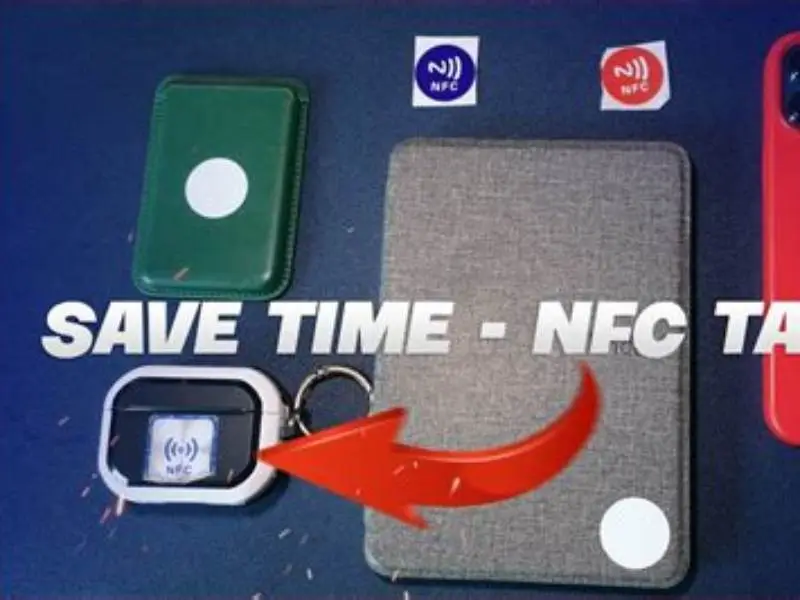
A magnetic case with a magnet ring usually causes no trouble. The magnets sit centred on the back, well below the camera. The NFC antenna sits at the top edge, near the camera. They rarely overlap.
If a tap fails, look for a steel or aluminium plate. That plate is part of a magnetic mount or a wallet case. A very thin steel sheet, well under a millimetre in some cases, is enough to block a read.
Plastic, silicone and leather at 3mm are effectively invisible to NFC. The signal passes through them the way light passes through a clean window. So the fix is not a thinner case. The fix is repositioning or removing the plate.
On most magnetic cases, the plate is a square or rectangle near the middle or lower half. Slide it down by a centimetre or two, and the antenna clears. On a wallet case with a steel spine, that may not be possible, and the honest answer is to use a different case for gym days. People in this spot often ask about ferromagnetic plate effect on charging as well.
If your case has an integrated steel plate built into the shell rather than fitted separately, you're looking at a yes-or-no answer. A 3mm case with a built-in plate over the top edge will block reads. That is not a configuration you can fix without swapping the case.
- Hold an NFC tag flat against the bare phone, top edge, near the camera. Confirm it reads.
- Slide the same tag behind the case only, no plate fitted. Confirm it reads.
- Fit the magnetic plate exactly where you plan to mount it. Repeat the tap.
- If step 3 fails, move the plate 2cm down and repeat before giving up on it.
- Record which configuration read and which did not. That is your answer.
Where the iPhone NFC antenna actually sits
On most modern iPhones the antenna sits in the upper back area, near the camera. Hold the top edge to a terminal and you'll see why. That position matters more than anything else on this page.
A magnet ring for MagSafe or Qi2 is centred on the back, well below the camera. The ring is low. The antenna is high. They overlap very little, which is why the magnet array almost never causes an NFC failure on its own. If that sounds like your situation, read up on qi2 puck spacer next.
A flat steel plate is a different shape entirely. Plates range from a small disc to a square covering much of the back, and owners place them wherever the mount suits. Put that square near the top of the case and it now covers the antenna loop. That is the failure mode. Same case, plate moved down, taps read again.
Read the phone's own manual for the model if you want the exact antenna footprint, because it shifts a little between generations. Older iPhones before iPhone XS used different antenna placements. But on recent models the working rule is the same: protect the top strip of the back glass near the camera and you protect the read. Your phone must also be unlocked or screen-aware for third-party tag reads; a locked phone will read Apple Pay terminals but not random NFC tags.
Why 3mm of plastic, silicone or leather does not attenuate a 13.56 MHz NFC signal
NFC runs at 13.56 MHz. At that frequency, non-conductive materials are nearly transparent. A 3mm slab of TPU, silicone, leather or polycarbonate barely registers as an obstacle. The field passes through and couples to the tag on the other side. People in this spot often ask about cxx fast charger for iphone 6ft as well.
Materials that do block NFC are the ones that conduct. Steel, aluminium, copper and even some carbon-fibre weaves will reflect or absorb the field. A metal plate does not have to be thick to cause trouble.
In practice, reads still work through folios well above 3mm. Thickness becomes noticeable only with very bulky cases, and even then the effect is a shorter read range rather than a dead tap. A chunky 6mm leather folio may force you to press the phone closer to the tag. It will still read.
Some cases add a metal kickstand, a metal camera surround or metal buttons. Those are the ones worth checking. A metal kickstand hinge sitting near the top edge is a small plate in its own right, and it can do the same damage as a mount plate.
iPhone NFC read range is very short, around 1-2cm. A case that thickens the gap at the top edge can reduce reliability even without metal. If your case is unusually bulky and taps feel inconsistent, press the top edge flat against the tag rather than hovering.
| Material | Typical thickness | Effect on NFC |
|---|---|---|
| TPU / silicone | 1-3mm | None measurable |
| Leather folio | 3-6mm | Slight range loss only |
| Polycarbonate | 2-4mm | None measurable |
| Steel plate | 0.5-1.5mm | Often blocks completely |
| Aluminium plate | 0.8-2mm | Often blocks completely |
| Ferrite sheet | fraction of a mm | Redirects field; may reduce range in some setups |
Why a magnet array is not the blocker at NFC frequencies
Neodymium magnets in a MagSafe or Qi2 ring are strong enough to hold a phone on a rack. That strength has nothing to do with NFC. The magnet array is not a conductive sheet. It is a set of small discs, spaced around a ring, and the field they produce is static. NFC runs on a radio carrier, not on magnetism.
The one magnet-adjacent material that does matter is ferrite. Many magnetic cases and mount plates include a thin ferrite layer behind the magnets. That layer is there on purpose. It redirects magnetic flux away from the phone's own antennas and shields the electronics from the magnet array. In a well-made case it is a thin dark sheet, a fraction of a millimetre thick, bonded behind the magnet ring.
Ferrite redirects the field rather than stopping it. In some setups, ferrite can actually reduce NFC range slightly by detuning the antenna. But it is not a blocker the way steel is. A case with a ferrite layer and magnets, and no steel plate, is the cleanest configuration for NFC.
This is why the magnets get a pass. People blame the magnets because they feel strong. The signal does not care how strong a magnet is.
The plate: what blocks reads and what to do about it
Magnetic mounts that are not MagSafe use a metal plate. You stick the plate to the phone or inside the case, and the mount magnet grabs the plate. That plate is the whole problem. It is a conductive sheet sitting on the back of the phone, and if it lands over the top-edge antenna, taps stop.
Plates are usually 0.5mm to 1.5mm thick and range from a small circle for a car vent mount up to a square that covers a good portion of the back. The bigger the plate and the higher it sits, the worse the outcome. A small round plate low on the phone often causes no trouble at all.
We have seen the same phone and the same case read perfectly on one mount and fail on another, purely because of plate placement. That is the diagnostic.
Sometimes the plate has to stay. The mount you own needs it, or the phone will not hold on a rack. In that case you have two workable routes. Move the plate, or change the case. Both solve the read without giving up the mount.
Moving the plate is the cheaper option. Take it off, clean the surface, and refit it lower on the case. Aim to leave the top strip near the camera completely clear. A plate centred on the back, below the camera bump, is usually fine. A plate tucked into the lower third is safer still.
If the plate cannot move far enough, pick a case with magnets only. A MagSafe or Qi2 case has the magnet ring built in and no separate steel plate. It holds on any magnetic mount, ferrite handles the flux, and the top edge stays open. That is the configuration we would buy for a gym or bike setup.
One more thing to check: the mount itself. If the mount is a magnetic puck that holds a bare phone, you may not need a plate at all. Test the phone against the mount before assuming you do.
If you read different tag types (NTAG213, NTAG215, or others), all use the same 13.56 MHz carrier. The plate will block any of them if it sits over the antenna. The tag type does not change the answer.
- Refit the plate: keep the top strip clear, favour the lower third.
- Switch case: magnets only, no steel plate, ferrite layer present.
- Swap mount: a magnetic puck may hold the bare phone without a plate.
- Re-test after every change: bare, case, plate, in that order.
| Plate position | Overlaps antenna? | Expected read |
|---|---|---|
| Centre of back, small circle | No | Reads normally |
| Lower third, square plate | No | Reads normally |
| Middle, large plate | Borderline | Test before relying on it |
| Upper third, any plate | Yes on most models | Usually fails |
Buy a magnet-only case with a ferrite layer. Keep the top strip of the phone clear near the camera and taps keep working.
FAQ
Does a MagSafe case block Apple Pay?
No, in normal use. The magnet ring sits low on the back and the NFC antenna sits at the top edge, so they rarely overlap. Apple Pay keeps working through a MagSafe or Qi2 case. If it stops, look for a metal plate, a metal kickstand or a metal camera surround before blaming the magnets.
How do I test whether my case is the problem?
Hold an NFC tag to the bare phone first and confirm it reads. Then fit the case with no plate and tap again. Then fit the plate exactly where you plan to mount it. The step where it stops reading tells you which component is responsible.
Will a thicker leather case stop an NFC read?
Unlikely. Non-conductive materials at 3 to 6mm shorten the read range slightly, but they do not kill the tap. You may need to press the phone a little closer to the tag. If the read fails outright, there is metal somewhere in the case, not just thickness.
Is there a safe way to keep using a magnetic mount with a plate?
Yes. Refit the plate lower on the back and leave the top strip of the case clear, near the camera. A plate centred below the camera bump usually reads fine. If your plate is too large to move clear, switch to a case with magnets built in and no separate steel plate.
Why does my phone not read tags even though the case seems fine?
Your iPhone must be unlocked or screen-aware to read third-party NFC tags. A locked phone will read Apple Pay terminals but ignore random tags. Wake the screen, unlock the phone, then try the tap again. This is a common cause of 'it doesn't work' misdiagnosed as hardware.