How to set your phone ring sound and make it ring loud or vibrate

To make your phone ring sound, set a ringtone in Settings, turn ringer volume to max, turn on vibration for calls, and take it off silent. Then ring it from another device to confirm it works.
On this page (8 sections)
- Remember this
- Setup: how to set ring on phone for iPhone and Android
- Volume: how to make phone ring louder without missing calls
- Vibration: how to make phone ring and vibrate at the same time
- Test: how to make your phone ring sound on demand to check it worked
- Modes: why your phone stays silent even with the right ringtone
- Fixes: what to check when the ring still does not sound right
- FAQ
Part of our guide on magnetic mounts and overheating
Fast facts
- Ringer vs media
- Separate sliders
- Typical loud level
- 75-85 dB at 30 cm
- Vibration setting
- On by default off
- Test call time
- 10-15 seconds
- Silent switch
- Overrides all tones
- Contact tone
- Overrides default
Remember this
- Set the default ringtone first, then give key contacts their own tone if you want.
- Ringer volume and media volume are separate: raise the ringer slider specifically.
- Use ring plus vibration for gym, transit and night: you feel it before you hear it.
- Test by calling yourself from another phone or laptop; 10 seconds tells you everything.
Setup: how to set ring on phone for iPhone and Android
Pick a tone first, then set it as default so every call uses it. On iPhone open Settings > Sounds & Haptics > Ringtone and tap the tone you want. On Android open Settings > Sound & vibration > Phone ringtone and choose from the list. That choice becomes your default ringtone for all incoming calls unless a contact has its own tone. We see people set a contact tone and think the default changed. It didn't.
On iPhone you can use a custom tone from GarageBand or the iTunes Store, then select it in the same Ringtone list. On Android you can add an MP3 file to the Ringtones folder and it appears in the picker after a restart. Keep clips short, usually 8-15 seconds, so the loop starts clean and you hear it fast. Longer files often start quiet and you miss the call.
If you want one person to stand out, give that contact its own sound after the default is set. On iPhone open Contacts > person > Edit > Ringtone. On Android open Contacts > person > menu > Set ringtone. This helps when your phone is across the room. You know who it is without looking.
- Open Settings and go to Sounds & Haptics on iPhone or Sound & vibration on Android.
- Tap Ringtone or Phone ringtone and preview tones with volume up.
- Tap the tone to select it and go back to save: it is now the default.
- Optional: set a different tone for one contact in Contacts.
- Flip off silent/mute and test with a call.
Volume: how to make phone ring louder without missing calls
Slide the ringer up, not the media slider. Many phones show two or three sliders and only one controls calls. On iPhone use the side volume buttons with Change with Buttons on, or drag the Ringtone and Alerts slider in Sounds & Haptics. On Android drag the Ring slider in Sound & vibration to maximum volume and tap to test the tone. Media at max still leaves ringer low. There is more on how are magnets used in a separate guide.
Gym bags and pockets muffle sound more than you expect. A phone face-down on a towel can lose 10-15 dB even at max, which is the difference between hearing it over a treadmill and missing it. Office desks do the opposite. Hard surfaces reflect sound and make the same tone seem loud. We keep phones screen-up on a hard mount when we need to hear them.
Use a tone that cuts through noise. A steady, high-pitched pattern with short repeats carries better than a soft melody or bass-heavy song. Turn off Attention Aware dimming on iPhone if it lowers volume when you look away, and turn off Adaptive sound on Android if it dips volume in quiet rooms. Pick the brightest default tone, not your favorite song.
| Phone | Control to raise | What it changes | Common miss |
|---|---|---|---|
| iPhone | Sounds & Haptics > Ringtone and Alerts | Ringer and alerts only | Silent switch still on |
| iPhone | Side volume buttons | Ringer if Change with Buttons is on | Changes media instead |
| Android | Sound & vibration > Ring volume | Incoming call volume | Ring slider left low |
| Android | Sound & vibration > Adaptive sound | Auto level | Lowers loud tone indoors |
- loud tone cuts through gym and traffic noise
- hard mount keeps speaker open and audible
- max volume can be harsh in quiet rooms
- bright tones annoy nearby people
Vibration: how to make phone ring and vibrate at the same time
Turn on vibration for calls so you feel it when you cannot hear it. On iPhone go to Settings > Sounds & Haptics > Ringtone > Haptics and choose a pattern, then enable Play Haptics in Ring Mode. On Android go to Settings > Sound & vibration > Vibrate for calls and turn it on. Without this, ring and vibrate never happens even if the switch is on ring.
A short, strong pattern works best for training and travel. On iPhone pick Synchronized or Alert rather than a subtle tick. On Android choose Vibration pattern with longer buzzes if offered. Put the phone where vibration transfers, like a pocket or a MagSafe mount on a rack upright. A phone on a soft mat buzzes silently into foam.
Leave haptics on for silent mode too if you want buzz without sound at night. On iPhone set Play Haptics in Silent Mode on. On Android keep Vibrate for calls on and set Ring to silent when needed. That gives you feel-only alerts without waking a room. Test it on your thigh pocket, not on a desk.
- IPhone path: Settings > Sounds & Haptics > Ringtone > Haptics - pick pattern and allow in Ring Mode.
- Android path: Settings > Sound & vibration > Vibrate for calls - toggle on and test.
- Placement tip: pocket or hard mount transfers buzz - soft bag or towel kills it.
- feel calls through pocket in noise
- works when ringer is down at night
- drains a bit more battery over a day
- can be missed on soft surfaces
Most silent phones have the right tone but the wrong switch flipped.
Test: how to make your phone ring sound on demand to check it worked
Call yourself and listen for 10 seconds. That is how to make your phone ring sound on demand without guessing. Use another phone, a laptop with Google Voice or FaceTime Audio, or a family member's mobile. Keep the test phone on Wi-Fi calling or mobile data so the call actually connects even in a basement gym.
Use the built-in find-my-phone ring if no second phone is handy. On iPhone open Find My on iCloud.com > Play Sound and it rings at full volume even if silent was on. On Android open google.com/android/find > Play sound and it rings for about 5 minutes at max. This is the fastest way to confirm how to ring your own phone when it is lost in a bag. There is more on gauss meter for MagSafe ring in a separate guide.
Check three things during the test. Does the right tone play, does vibration start with the ring, and does the screen light with caller info. If any one fails, fix that setting first before changing tones again. We do this with the phone where we actually use it, on the mount or in the pocket, not on a quiet desk.
- Put phone where you will keep it: pocket, bag, or mount.
- Set ringer to loud and turn on vibrate for calls.
- Ring it from another device or use Find My / Find My Device > Play Sound.
- Listen for tone and feel for buzz for 10-15 seconds.
- Adjust tone or volume and repeat once.
Modes: why your phone stays silent even with the right ringtone
Check the physical silent control first. iPhone has a Ring/Silent switch or Action button that mutes all ringtones when flipped to orange or set to silent. Android has Silent, Vibrate and Ring modes in Sound & vibration and in Quick Settings tiles. No software slider overrides that hardware or tile setting. Flip it to ring before anything else.
In Focus or Do Not Disturb your tone is correct but blocked. On iPhone open Settings > Focus > Do Not Disturb and allow calls from Everyone or Favorites, or turn the Focus off for testing. On Android open Settings > Sound & vibration > Do Not Disturb > People > Calls and allow calls. Do Not Disturb is the most common reason a loud tone never plays.
Look at per-app and per-contact blocks too. Phone app notifications set to silent, Bluetooth audio routing to earbuds left in a case, and Call forwarding can all send the ring elsewhere. If the phone rings on the watch but not the handset, audio is routing to the wearable. Turn off Bluetooth briefly and call again to isolate it.
- Silent switch/tile: must be on Ring, not Silent or Vibrate only.
- Focus / Do Not Disturb: allow calls or turn off to test.
- Bluetooth: disconnect earbuds and watch to hear handset ring.
Fixes: what to check when the ring still does not sound right
Try a different tone and clean the speaker. A cracked screen protector over the bottom speaker grille or lint in the port muffles sound fast. Brush the grille lightly with a dry, soft brush and test again at maximum volume with a system tone, not a custom file. If the system tone is loud but your file is quiet, the file is the problem. Re-add it louder.
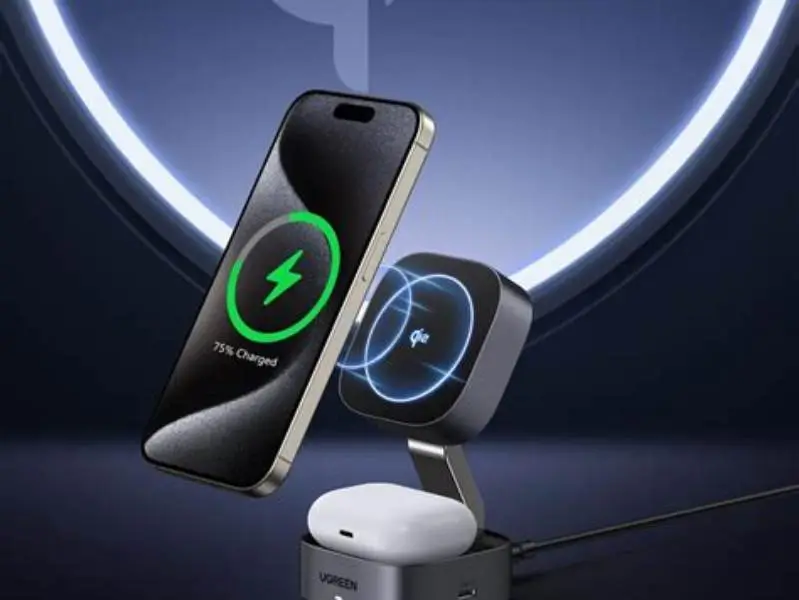
Some magnetic mounts and wallets worry buyers, but they do not mute the ringer. A MagSafe ring or Qi2 plate holds the phone and leaves the bottom speaker open when the mount is sized right. What does muffle is a thick case with no speaker cutout or a mount that covers the grille. Choose a mount that leaves the bottom edge clear so sound projects. That's the whole trick.
Restart after big updates and reset sound settings if needed. On iPhone go to Settings > General > Transfer or Reset iPhone > Reset > Reset All Settings keeps data but clears sound and Focus quirks. On Android go to Settings > System > Reset options > Reset app preferences. Then set ringtone and volume once more and test. Keep it simple.
FAQ
Why does my phone only vibrate and not ring?
Silent or Vibrate mode is on, or Ring volume is at zero. Flip the Ring/Silent switch to ring and raise the Ring slider. Also turn on Play Haptics in Ring Mode if you want both.
How do I set a custom song as my ringtone?
On iPhone make a 30-second tone in GarageBand and export as Ringtone. On Android copy an MP3 to the Ringtones folder and select it in Sound & vibration > Phone ringtone.
Can I make one contact ring louder or different?
You can give a contact its own tone, but loudness follows the global Ring volume. Give key contacts a bright, distinct tone so you notice it faster.
Will a magnetic mount damage my phone speaker or ringer?
No. MagSafe and Qi2 magnets hold the phone and do not affect the speaker or vibration motor. Just keep the bottom speaker grille open and avoid cases that block it.
How do I ring my phone when it is on silent?
Use Find My iPhone > Play Sound on iCloud.com for iPhone, or Find My Device > Play sound on google.com/android/find for Android. It rings at full volume for a few minutes even in silent.