How to open a OnePlus power bank safely and access its components

Check OnePlus warranty terms for your region and model before opening the pack. If you proceed, partially discharge it, unplug every cable, use non-conductive tools, and work slowly around the case seam. Stop if the pack is swollen, hot, cracked, leaking or hissing.
On this page (10 sections)
- Remember this
- Warranty and risk: check both before opening
- Energy and model: identify what you have
- Tools needed: use plastic and inspect the fasteners
- Opening the case: release clips without reaching inward
- Internal inspection: identify the cell layout first
- Reassembly and testing: stop at heat or smell
- Disposal: handle damaged cells as hazardous batteries
- When opening is the wrong move: match the fault to the risk
- FAQ
Part of our guide on satechi power bank for iphone 15 pro max
Fast facts
- Before opening
- Check regional OnePlus warranty terms
- Energy reduction
- Partially discharge the pack
- Fastener type
- Clips, adhesive or model-specific screws
- Main tool
- Non-conductive nylon spudger
- Cell format
- Varies by model
- Fire response
- Keep away from heat and call local emergency services if it ignites
Remember this
- Check OnePlus warranty and support terms for your region and model before opening the case.
- Partially discharge the pack first. A lower state of charge reduces available energy if a short occurs.
- Use a nylon spudger and plastic picks. Keep tools shallow because the internal layout differs by model.
- Pouch cells, cylindrical cells, wiring and board placement vary between OnePlus power banks.
- Treat damaged lithium cells as a fire and disposal hazard, not a repair project.
Warranty and risk: check both before opening
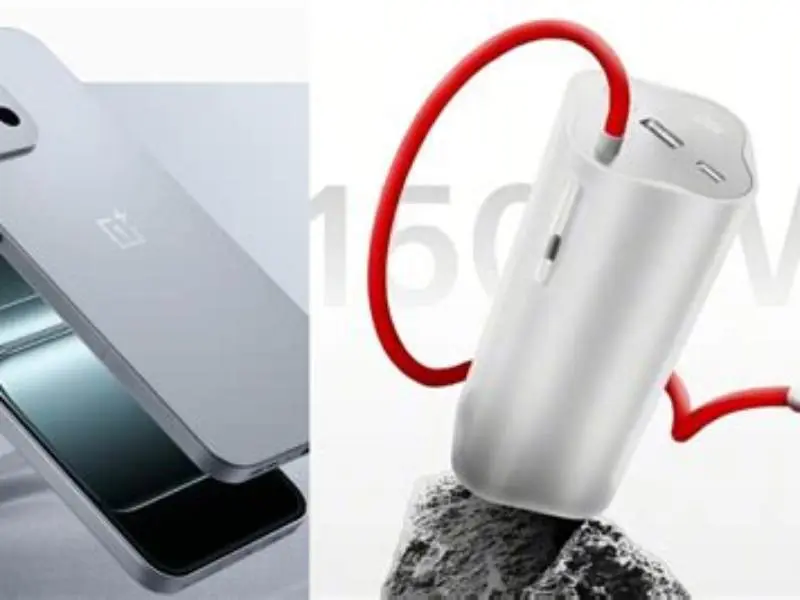
Check the official OnePlus warranty terms for your region and model before opening the case. Use the support page for your country, the warranty document supplied with the pack, or an authorised service channel. Keep the receipt and photograph the serial number before removing anything.
Do not assume opening always has the same warranty result everywhere. Service decisions can depend on local law, model, purchase channel and visible damage. Ask OnePlus support about your specific pack before making an irreversible change.
Opening a lithium battery product can create fire, shock and short-circuit hazards. It can also affect legal service rights, transport rules and recycling requirements. Work only if you accept those risks and have a safe place to stop.
Energy and model: identify what you have
OnePlus has sold power banks with different boards, cell counts and internal layouts. Some use pouch cells. Others use cylindrical cells. Do not assume a cell format from the outside or from another repair guide. We go through 100w power bank testing step by step elsewhere on the site.
A 10,000 mAh pack rated at a nominal 3.7 V stores about 37 Wh. Use this calculation: watt-hours equals amp-hours multiplied by nominal volts. Convert mAh to Ah by dividing by 1,000, then use the nominal voltage printed on the label or datasheet.
The usable output rating can differ from stored cell energy because the converter loses energy. Check the label, model number and manual for your pack. A significant amount of stored energy remains dangerous if a cell is punctured or shorted.
Tools needed: use plastic and inspect the fasteners
Use a nylon or POM spudger, thin plastic picks and a small driver matched to your model. Some cases use clips. Others add adhesive or hide screws beneath feet, labels or trim. Inspect the seam before applying force. If that sounds like your situation, read up on selfie stick tripod mount with remote next.
Avoid knives, metal picks and improvised screwdrivers. Metal can short exposed contacts, damage the board or puncture a cell. Choose tools sold for electronics repair and follow the maker's safety guidance. IEC 62133-2 and UL 2054 are useful battery-safety references, though they do not make a user repair safe.
A short period of moderate heat from a hairdryer at a safe distance can soften adhesive. Apply it cautiously and avoid overheating the shell or cells. Do not use a heat gun near the battery unless the manufacturer specifically permits it.
- Nylon or POM spudger: non-conductive leverage at the seam
- Thin plastic picks: hold released clips without scratching the shell
- Correct small driver: remove model-specific screws without stripping them
- Plastic-tipped tweezers: handle connector latches carefully
- Tray, tape and marker: keep screws and cable positions organised
Opening the case: release clips without reaching inward
Partially discharge the pack before opening it, then unplug every cable. A lower state of charge reduces available energy if a tool slips. Do not rely on the indicator as a precise measurement, because its reading can be approximate. For the detail, see our notes on overhead rig clamp.
Inspect the whole seam for screws, feet, labels and gaps. On many compact power banks, cells and wiring have little clearance behind the shell. Check your model's internal layout visually once open, and keep the tool tip close to the seam rather than pushing inward.
Start at a corner near the USB ports if the seam gives access there. Insert the plastic spudger only far enough to begin the gap. Slide a pick behind it, then release clips one at a time. Stop whenever resistance feels different from a clip.
Moderate heat can soften adhesive if the cover still resists. Apply it briefly from a safe distance, keep the airflow moving, and let the area cool if the battery warms. Never force a bonded cover over a cell.
- Partially discharge the pack and unplug all cables.
- Inspect the seam, feet and labels for model-specific screws.
- Remove visible screws with the correct driver.
- Place a nylon spudger at an accessible seam corner.
- Add a plastic pick after the first clip releases.
- Work around the perimeter while keeping the tool shallow.
- Pause if you meet hard resistance, heat, smell or a distorted cell.
- Lift the cover slowly and check for wires or ribbon cables before separating it.
Internal inspection: identify the cell layout first
Once the cover is loose, take photographs before touching connectors. Identify whether the pack uses pouch cells or cylindrical cells, then note the board, insulation, wiring and cell restraints. Layouts differ between models and generations.
Check the cell wrapper for punctures, cuts, kinks, swelling, corrosion or discolouration. A damaged cell is not a cleaning job. Do not press it, bend it, disconnect it casually or test it with a metal probe.
Inspect the board for corrosion, burnt areas, loose ports and damaged insulation. Look for connectors that have backed out, but do not reseat battery leads unless you understand the connector and can prevent a short. Avoid probing live battery terminals.
Do not clean corrosion on a damaged or swollen pack. Isopropyl alcohol can help with clean, disconnected contacts on an undamaged unit, but it does not make a compromised cell safe.
- Cell format: pouch or cylindrical construction, with no swelling or wrapper damage
- Board: corrosion, scorching, loose ports or cracked components
- Wiring: pinched insulation, exposed conductors or stressed solder joints
- Connectors: loose latches or cables, handled without shorting contacts
Reassembly and testing: stop at heat or smell
Route wires through their original channels and keep them clear of clip ledges. Replace insulation or shields only with suitable parts. Do not close the case if a cell, cable or board looks damaged.
Press the cover together from the side with the released clips. If it will not seat, reopen it and find the trapped wire or remaining fastener. Do not crush the shell over the battery.
Test charging under supervision on a non-flammable, hard surface. Stop if the pack becomes hot to hold, smells unusual, swells, smokes or behaves erratically. Unplug it if safe, keep clear, and contact local emergency services if it ignites.
A repaired case is not proof of battery safety. Retire the pack if charging, capacity or temperature behaviour changes after opening.
Disposal: handle damaged cells as hazardous batteries
Use a municipal household hazardous-waste centre, battery recycling depot or electronics retailer that accepts rechargeable lithium batteries. Call before travelling and describe the pack as damaged if it is swollen, hot or physically compromised.
For a cool, intact pack, prevent short circuits by covering exposed terminals with electrical tape. Place it in a plastic bag or the container requested by the recycler. Do not put lithium batteries in household rubbish or kerbside recycling.
Do not transport a hot, leaking, smoking or badly swollen pack yourself. Ask the recycler, fire service or local waste authority for instructions. For a stable damaged cell, use an insulated, non-conductive container with padding so it cannot move or contact metal. Keep it away from heat and never seal a hot pack in an airtight container.
Never puncture, flatten, burn or place a power bank in water. Follow local transport and disposal rules.
When opening is the wrong move: match the fault to the risk
A loose port on an out-of-warranty pack may justify inspection if the cells look sound. A weak battery, swelling, heat or unexplained shutdown points toward replacement and recycling instead.
A pack under warranty should go through OnePlus support before opening. Use the official regional support page and keep your purchase record, model number and serial photographs ready.
The practical rule is simple. Inspect connectors only when the pack is stable and the fault is clear. Leave cell faults to an authorised repair service or recycler.
| Situation | Open it? | Why |
|---|---|---|
| Charges only when the cable sits at an angle | Maybe, if out of warranty | A loose port may be visible, but check support terms first |
| Under warranty with any fault | Usually no | Ask OnePlus or an authorised service centre before opening |
| Case swollen, cracked, hot or leaking | No | Isolate it and arrange specialist disposal |
| Capacity has fallen sharply | Usually no | Cell ageing has no safe case-opening fix |
| Rattles but charges normally | Caution | A loose part may be present, but inspect only if the pack is stable |
Opening a OnePlus power bank can suit a clear connector fault on a stable, out-of-warranty pack. Do not open a damaged or swollen pack, and check regional OnePlus support terms first.
FAQ
Can I open a OnePlus power bank without a spudger?
A thick plastic card may work, but it gives poor control around clips. Avoid metal blades because a slip can short contacts or puncture a cell.
Are there screws hidden on the case?
Some models may hide screws under feet, labels or trim. Inspect your exact model before prying, and do not assume another OnePlus guide matches it.
Is it safe to open a power bank that still works?
A working pack can still contain dangerous stored energy. Partially discharge it, use plastic tools and stop if you see heat, swelling, damage or unexpected resistance.
Why will the cover not close after opening?
A wire may sit over a clip ledge, or a screw may remain installed. Reopen it, photograph the layout and route each wire through its original channel.
How do I dispose of a swollen power bank?
Do not place it in household waste or carry it casually to a shop. Contact a municipal hazardous-waste centre, battery recycler, retailer or local authority, explain the damage, and follow its transport instructions. Keep exposed terminals insulated.
How can I estimate the energy inside my pack?
Convert the label's mAh to Ah by dividing by 1,000. Multiply Ah by the nominal cell voltage. For example, 10,000 mAh at 3.7 V is about 37 Wh, before converter losses.