How to mount and use a camera or phone tripod for workout filming

Attach your camera or phone securely to the tripod’s mount, then adjust height and angle to frame your lift clearly. Use stable tripod legs and check tightness to avoid shake during filming.
On this page (8 sections)
Part of our guide on non-rotating mount for gym bar
Fast facts
- Typical tripod height
- 1-1.5 m
- Phone tripod thread size
- 1/4 inch UNC
- Recommended stability
- Wide tripod stance
- Flexible tripod load limit
- Up to 200 grams
- Ideal filming distance
- 2-3 meters
Remember this
- Secure attachment avoids camera shifts during lifts
- Adjust tripod height to capture full body during squats or deadlifts
- Angle the camera to avoid gym equipment blocking view
- Flexible tripods need extra caution to prevent tipping
- Common mounting mistakes cause frame loss or unstable footage
How to attach a camera or phone to a tripod
Most cameras and phones mount using a 1/4 inch UNC screw fitting. Check your device or case for a compatible threaded hole or mount adapter.
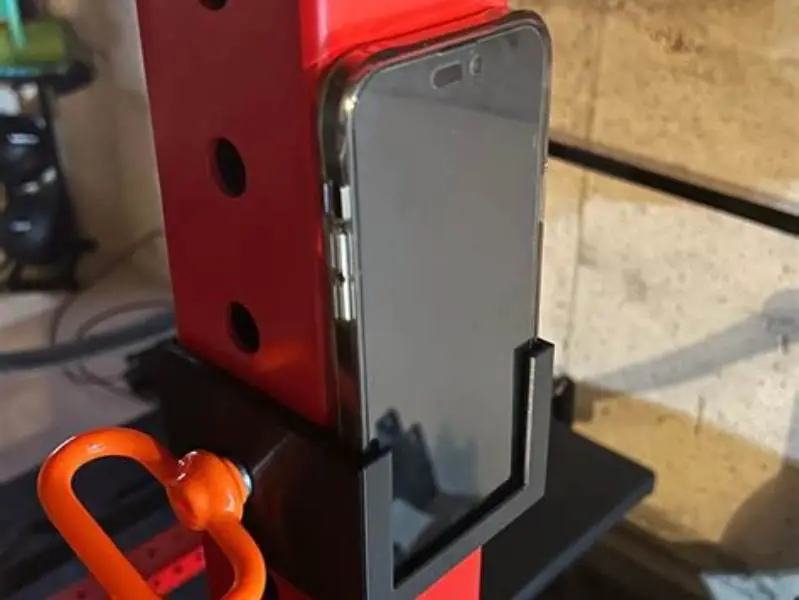
For phones, use a clamp-style tripod mount that grips the case or phone sides firmly without slipping. Avoid mounts that pinch too tightly and damage the phone.
To attach, screw the tripod’s mounting plate securely into the camera’s tripod socket or clip the phone into the holder and tighten any locking knobs.
Ensure the device sits flat on the plate or clamp without gaps to prevent wobble. Test the mount by gently shaking the device before filming. For the detail, see our notes on mount a camera.
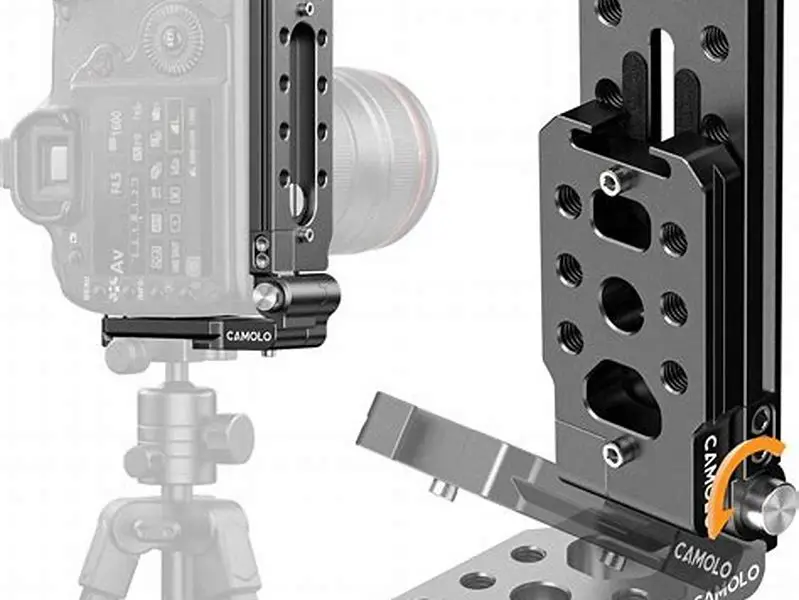
Some cameras or phones come with quick-release plates that clip or slide onto the tripod head. This lets you mount and remove your device faster between sets without screwing and unscrewing. Check if your tripod supports this feature and get the matching plate if possible.
If your phone has a case with a ring holder or pop socket, remove it before mounting. These can prevent the clamp from gripping evenly and cause wobble. Alternatively, use a tripod mount designed to hold phones with accessories securely.
- Check screw size - must match device socket
- Use clamp mount for phones with cases
- Tighten locking knobs firmly
- Test stability before filming

Smartphone Holder/Vertical and Horizontal Tripod Mount Adapter
Fits phones with cases securely and attaches to any regular tripod with 1/4 inch screw, adjustable width 2.2-4.1 inch
Adjusting tripod height and angle for gym equipment
Adjust tripod height so the camera lens is between your knee and waist level for squats or deadlifts. This range captures full form without distortion. We go through phone tripod prices step by step elsewhere on the site.
Set the angle to be level or slightly downward, pointing at your midsection. Avoid angles that look straight up or down which distort perspective.
Make sure gym equipment does not block the view. Move the tripod sideways or forward so the entire lift is visible in frame.
Lock tripod legs and head firmly once adjusted. Soft surfaces or uneven floors can cause tilt or shake during movement. It helps to understand steady filming of workout moves before going further.
If filming overhead movements like overhead presses, raise the tripod height above your head and angle it downward. This captures the lift clearly and includes bar path. Make sure the tripod is stable at this height by spreading legs wide and locking all joints.
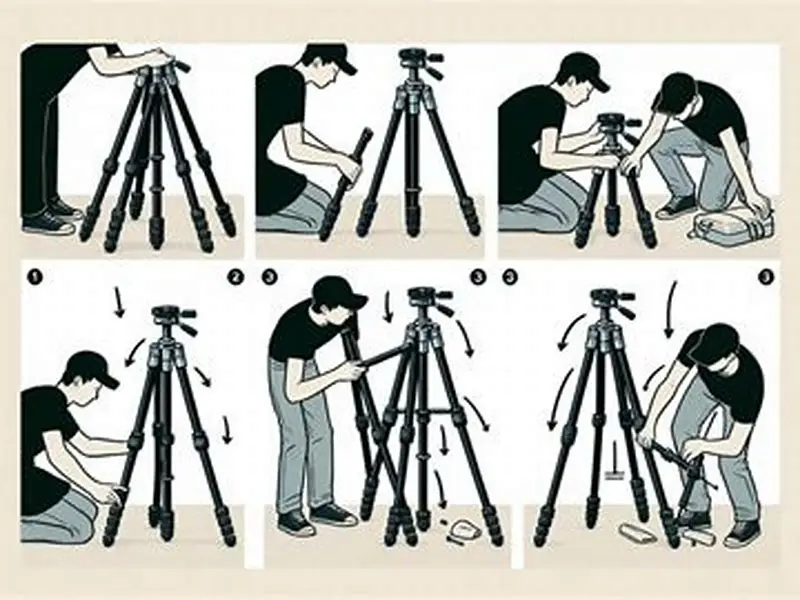
When filming on uneven gym floors, place a flat board or small platform under tripod legs if needed. This prevents leaning and reduces shake. Check stability by gently pushing the tripod after setting it up.
- Height: 1-1.5 meters for full-body framing
- Angle: level or slight downward tilt
- Avoid equipment obstruction by repositioning tripod
- Lock all locks firmly on tripod
Using bendy or flexible tripods safely
Flexible tripods can clamp onto gym racks or poles for versatile mounting, but they usually support less than 200 grams safely.
Phones in bulky cases or professional cameras may exceed flexible mounts’ weight limits, risking falls.
Secure all flexible legs tightly around supports and double-check grip before filming. A single leg slipping will cause a drop.
Avoid using flexi tripods on unstable or vibrating surfaces like treadmills or spin bikes, which amplify shake.
Flexible tripods are great for unusual angles but always test them at the start of a session. Attach your device, then shake the mount gently to see if it slips. If it slides, reposition or tighten clamps before filming.
Some flexible tripods have rubberized grips that improve hold on metal bars or textured surfaces. These grips wear out over time and reduce effectiveness. Replace or clean them regularly to maintain security.
- Max load about 200 grams
- Clamp securely around stable surfaces
- Avoid use on moving or vibrating equipment
- Double-check grip before filming
Step-by-step advice on securely mounting and adjusting tripods for stable, hands-free filming of your lifts in any gym setup.
Common mistakes mounting devices on tripods
Failing to tighten the device mount causes shaky footage or sudden device drops during a lift.
Setting tripod height too low or high results in cropped views, missing key joint actions in your squats or deadlifts.
Overextending tripod legs on uneven floors can make the rig unstable and prone to tipping.
Using flexible tripods without checking weight limits leads to device falls and possible damage.
Another common mistake is not checking the tripod after moving it. Sometimes the device mount loosens slightly during transport or adjustment. Always retighten knobs and test stability before starting your set.
Tripod legs left partially extended or with uneven lengths create wobble when you move or lift weights. Always extend legs fully and evenly, then lock them. This provides the best support for your device.
- Loose mount screws cause instability
- Incorrect height cuts off body parts
- Uneven leg extension reduces stability
- Ignoring weight limits risks drops
How to use tripod for camera
Place the tripod on a firm surface with legs spread wide enough for stability. Check that all leg locks are tight.
Mount your camera or phone as described, then set height and angle according to your workout and gym layout.
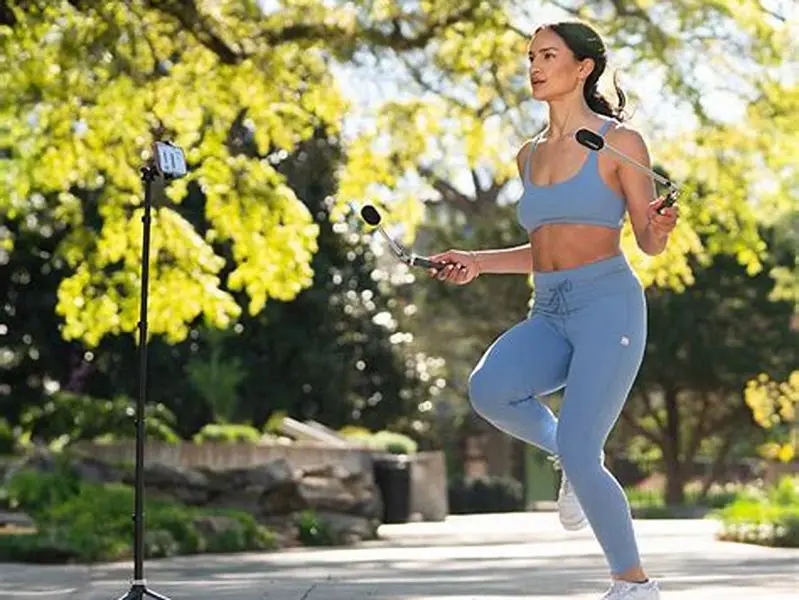
Frame your shot to capture your full movement, usually 2-3 meters away to keep the entire squat or deadlift visible.
Start recording, then perform your lift while reviewing form through your device’s screen if possible.
After filming, review footage for clarity and framing before adjusting settings and retaking if necessary.
If your tripod has a ball head, use it to quickly adjust camera angle with smooth movement. This lets you switch between frontal and side views of your lifts easily. Lock the ball head only after you find the perfect framing.
When using a phone, switch on grid lines in the camera app to align your body within the frame. This helps keep your lift centered and avoids cropping out limbs or barbell ends.
If possible, record with the highest resolution and frame rate your device allows. Clearer video helps you analyze your form better and share footage with coaches or friends.
- Spread tripod legs fully and lock securely
- Attach camera or phone mount firmly
- Adjust height and angle for full workout view
- Position tripod 2-3 meters from workout area
- Start recording and perform exercise
- Review footage, adjust if needed
Tips for filming workouts hands-free in the gym
Choose a tripod with a quick-release plate for faster mounting and removal of your device between sets.
Use a remote shutter or countdown timer to start recording without touching the camera, minimizing shake.
If your phone supports it, use a stable magnetic mount with compatible case or ring to speed mounting on gym racks.
Keep your tripod away from high-traffic zones to avoid accidental bumps or knocks during filming.
Regularly check tripod joints and mount tightness during long sessions, as vibration and movement can loosen them.
Place a non-slip mat beneath tripod legs if the gym floor is slippery. This prevents slow shifts during filming that can blur your video or cause framing errors.
If your gym is noisy, use a microphone with a long cable placed near you but away from the tripod. This prevents you from having to hold a mic and keeps the camera setup neat.
- Quick-release plates for speed
- Remote shutter controls minimize shake
- Magnetic mounts speed setup
- Avoid busy gym walkways
- Check tightness regularly
A well-attached tripod and proper height/angle adjustment are essential for quality workout videos.
FAQ
Can I use any tripod with my phone for workout filming?
Not all tripods fit all phones. Your phone or case must have a compatible clamp or mount adapter, usually fitting a 1/4 inch tripod thread. Confirm this before buying or using a tripod.
How high should the tripod be to film squats properly?
Set tripod height between 1 and 1.5 meters so the camera captures your entire body during the squat. Height too low or high distorts your form or crops key joints.
Are flexible tripods stable enough for filming lifts?
Flexible tripods can work with lightweight phones but risk tipping or dropping heavier cameras. Use them only on stable supports and verify weight limits, usually under 200 grams.
What common mistakes reduce footage quality when using a tripod?
Loose mounts, incorrect height, unstable legs, and ignoring weight capacity cause shaky or partial shots and risk device damage.
How far should the tripod be from me when filming?
Position the tripod about 2 to 3 meters away to capture your full workout movement clearly without distortion or cropping.