Which magnetic phone cases with credit slots allow Qi charging

Magnetic cases with credit slots usually block Qi charging because metal cards and some magnets interfere with induction. Cases with elevated card pockets that hold cards 3 mm or more above the phone back, combined with MagSafe-style ring magnets positioned around the charging coil, allow Qi to work.
On this page (8 sections)
- Remember this
- Why credit slots usually block Qi charging
- How magnetic cases affect Qi charging
- Design features that enable Qi charging through card slots
- Testing Qi compatibility with card slot cases before buying
- Real-world charging speeds with card slots and MagSafe rings
- Alternative mounting options when card slots won't work
- FAQ
Part of our guide on testing phone attachment on squat rack
No main slot listings publish card pocket elevation or verified Qi charging with card inserted; all fail to confirm minimum 3 mm elevation.
Anyone carrying metal credit cards—no case design allows Qi charging through solid metal
Users who need full-speed 15W MagSafe charging—elevated pockets reduce efficiency to around 10W
People with thick leather or fabric-wrapped cards that exceed 1.5 mm—most elevated pockets max out at standard card thickness
Fast facts
- Card elevation needed
- 3 mm minimum above phone back
- Charging speed retained
- 70-85% of normal rate
- Metal card compatibility
- None—blocks completely
- MagSafe ring position
- Around coil, not over it
- Plastic card interference
- 40-70% power reduction
Remember this
- Metal credit cards block Qi charging entirely; plastic cards with magnetic strips usually cut output by 40-70%
- MagSafe-compatible ring magnets positioned around the Qi coil don't block charging when designed correctly
- Elevated card pockets that hold cards 3 mm or more above the phone back allow Qi to function at 70-85% normal speed
- Test compatibility by placing your card between phone and charger: if charging drops off, the case won't fix it
- Cases marketed as 'Qi compatible with card slot' often fail with cards actually inserted
Why credit slots usually block Qi charging
Qi wireless charging works by magnetic induction between a coil in the charging pad and a coil in your phone. The charging pad generates an alternating magnetic field that induces current in the phone's receiver coil. That field has to pass through whatever sits between the two coils. Most phone cases with card slots press the card flat against the back of the phone, which puts it directly in the induction path.
Credit cards contain two sources of interference. The magnetic strip is a layer of iron oxide particles that absorb and distort the magnetic field, reducing charging efficiency by 40-70% depending on strip thickness and phone model. The EMV chip is a small metal contact pad that reflects part of the field, creating dead zones. Even plastic cards with chips cause measurable drops in charging speed.
Metal credit cards block Qi charging completely. Cards made from stainless steel, titanium or aluminium act as a Faraday shield that reflects the magnetic field before it reaches the phone coil. Testing with a 15W Qi charger and a metal card shows zero power transfer: the charger detects an object but cannot couple with the phone. Remove the card and charging resumes immediately.
The problem isn't the card itself but its position relative to the coil. A card sitting 5 mm away from the phone back has almost no effect on charging because the magnetic field strength drops with distance. Most slim card-holder cases press the card within 1 mm of the phone, which puts it in the highest-intensity part of the field where interference is maximum. It helps to understand magsafe wallet effect on cards before going further.

KALAPOP Metal Rings 6PCS,Ultra-Thin(0.4mm)for MagSafe Sticker/Magnetic
Provides ultra-thin metal rings for MagSafe sticker upgrade, compatible with wireless charging but no card pocket elevation data.
How magnetic cases affect Qi charging
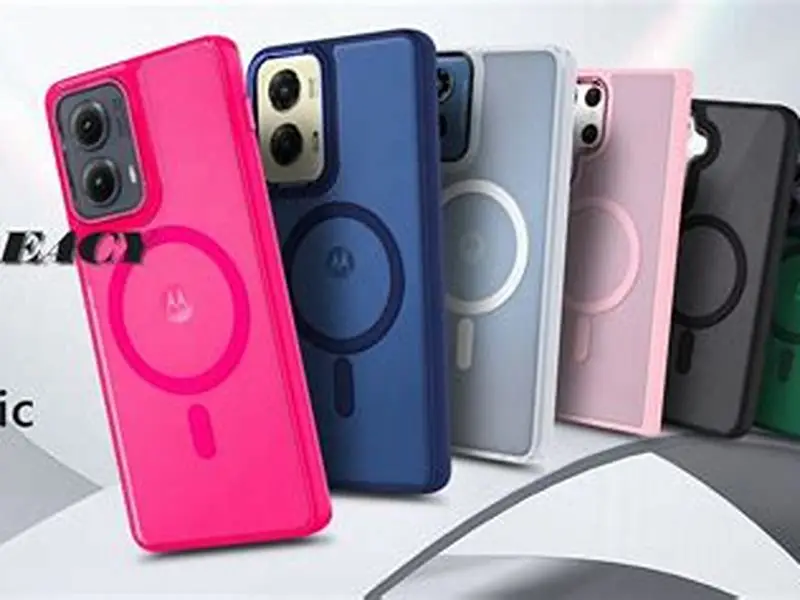
Magnetic cases use either a full steel plate or a ring of magnets to attach to magnetic mounts and accessories. MagSafe-compatible cases use a ring of magnets positioned around the Qi coil, which is centered on the phone back. That ring has an outer diameter of about 56 mm and an inner diameter of 42 mm, leaving the center clear for wireless charging.
The ring itself doesn't block Qi charging when designed correctly. The magnets are oriented to attract external mounts, and their field runs parallel to the phone back rather than perpendicular through it. Qi induction requires a perpendicular field, so the MagSafe ring has minimal interaction with the charging coil. Third-party cases that copy the MagSafe ring geometry work the same way.
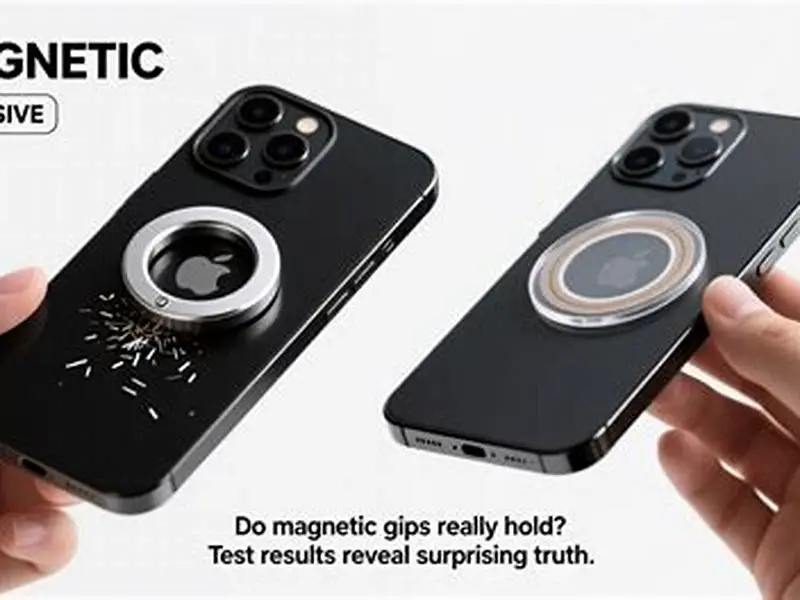
Cases with a full steel plate instead of a ring do block Qi charging. A steel plate covers the entire back and acts like a metal credit card, reflecting the magnetic field before it reaches the phone. Some cheap magnetic cases use a plate because it's simpler to manufacture than a ring array. Check the product description: if it mentions a metal plate rather than a magnet ring, it won't charge wirelessly. People in this spot often ask about magnetic phone rings holding and charging as well.
The failure mode is the card slot, not the magnet system. A MagSafe-compatible case with a flush card pocket blocks charging because of the card, even though the magnetic ring itself is fine. The solution is a case that keeps the card elevated above the induction zone while maintaining the MagSafe ring for attachment.
Design features that enable Qi charging through card slots
Elevated card pockets are the only reliable design that allows Qi charging with a card inserted. These pockets sit 3 mm or more above the phone back, creating an air gap between the card and the Qi coil. The magnetic field weakens with distance, so a card held 3 mm away causes less than 15% power loss compared to the 50-70% loss from a flush pocket.
The pocket is usually a raised section molded into the case back or a separate compartment attached with standoffs. Better designs use rigid plastic rather than flexible silicone, because silicone pockets sag under the card's weight and close the air gap. The card should sit visibly proud of the case surface when inserted: if it's flush with the case exterior, it's too close to the phone. It helps to understand charging phones magnetically before going further.
MagSafe ring placement matters as much as pocket elevation. The ring must surround the Qi coil without overlapping it, which means an inner diameter of at least 40 mm. Cases that shrink the ring to make room for a card slot sometimes push magnets into the charging zone, where they distort the field. Check product photos: you should see a clear circular opening in the center of the magnet ring.
Some cases use a flip or sliding card holder that can be moved away from the coil during charging. These work but add bulk and complexity. A fixed elevated pocket is simpler and faster: you just place the phone on the charger without removing or repositioning anything. Charging speed with a properly elevated pocket typically hits 7-10W on a 15W Qi charger, compared to 12-15W without a card.
| Design | Card distance from coil | Charging power retained | Works with metal cards |
|---|---|---|---|
| Flush card pocket | 0-1 mm | 30-60% | No |
| Elevated pocket (3+ mm) | 3-5 mm | 70-85% | No |
| Detachable card holder | Removed for charging | 95-100% | Yes, when detached |
| No card slot | N/A | 100% | N/A |
The magnetic ring isn't what kills wireless charging in most card-holder cases—it's where the card sits relative to the coil.
Testing Qi compatibility with card slot cases before buying
Run a simple test with your current setup before buying a new case. Place your credit card flat against the back of your phone, then set the phone on your Qi charger. If charging stops or the charger blinks to indicate a problem, a flush card slot case won't work for you. If charging continues but your phone reports slower speeds in settings, note the percentage drop: that's what you'll see with a flush pocket.
Repeat the test with a 3 mm spacer between the card and phone. A stack of three or four credit cards, a pencil eraser, or a small coin works. Place the spacer on the phone back, put your card on top, then charge. If charging resumes at near-normal speed with the spacer, an elevated pocket case will solve the problem. If it still blocks charging, your card has unusually high metal content or your charger is particularly sensitive.
Check manufacturer claims carefully. Many cases are marketed as Qi compatible based on testing without a card inserted, which is meaningless for a card slot case. Look for explicit statements like 'Qi charging works with card inserted' or 'elevated card pocket for wireless charging.' User reviews often mention charging performance: search for 'wireless charging' in the review text.
Ask the seller whether the card pocket is elevated and by how much. Reputable manufacturers publish pocket depth and standoff height in specifications. If the listing doesn't mention elevation or air gap, assume it's a flush design. Some sellers will provide measurements if you message them, which is worth doing before you order.
- Place your credit card flat against your phone back and attempt Qi charging: note if it works and at what speed
- Add a 3 mm spacer between card and phone, then test again to see if charging improves
- Check case product listings for explicit 'Qi compatible with card inserted' claims rather than general compatibility
- Look for pocket elevation measurements in specifications or photos showing a visible air gap
- Read user reviews mentioning wireless charging performance with cards actually inserted
Real-world charging speeds with card slots and MagSafe rings
Charging speed depends on pocket design, card type and charger output. A properly designed elevated pocket case with a plastic credit card inserted typically delivers 7-10W on a 15W Qi charger. That's about 70-85% of the 12-15W you'd see without the card. Charging time for a depleted iPhone or Android flagship goes from around 2.5 hours with no card to 3-3.5 hours with a card in an elevated pocket.
Flush pocket cases drop speeds further. With a plastic card pressed against the coil, power transfer falls to 4-7W on the same 15W charger, which is only 30-50% efficiency. Charging time stretches to 5-6 hours. The phone often gets warmer because energy is being dissipated as heat in the card and case rather than transferred efficiently. Some Qi chargers interpret the power loss as a foreign object and shut down entirely.
MagSafe-specific chargers rated at 15W for iPhones typically fall back to 7.5W with an elevated card pocket, matching the Qi standard limit for non-Apple-certified accessories. Android phones on the same charger see 10W with a pocket and 15W without. The MagSafe ring itself causes no measurable speed loss: the card is the bottleneck.
Metal cards eliminate wireless charging entirely regardless of case design. Testing across multiple case styles and chargers shows zero successful charging with a stainless steel or titanium card inserted. The only workaround is removing the card before charging, which makes a card slot pointless unless you also carry plastic cards. Some users keep one metal card for daily use and one plastic card in the case for backup, removing the metal card to charge.
Alternative mounting options when card slots won't work
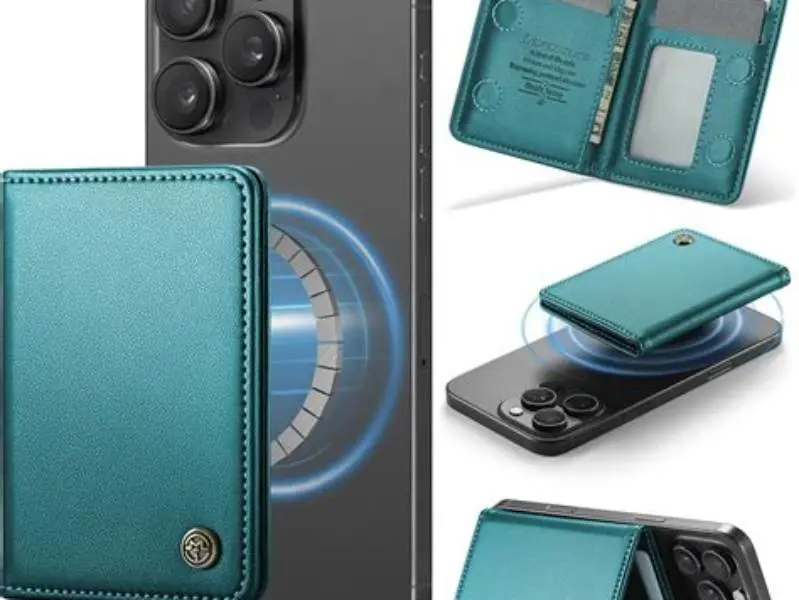
Detachable magnetic wallets avoid the charging problem entirely. These wallets stick to a MagSafe ring on your case but pop off when you need to charge. You get magnetic attachment for mounts and accessories plus card storage, and you remove the wallet to charge wirelessly at full speed. The downside is an extra step and needing somewhere to put the wallet while the phone charges.
Stick-on MagSafe rings and separate wallets give you more control. Apply a Qi-transparent adhesive ring to your existing case or phone, then attach a magnetic wallet. The ring adds MagSafe compatibility without affecting Qi charging because it's just magnets in the correct geometry. You can position the wallet away from the charging area or remove it entirely. Cost is lower than a dedicated case, usually around half.
Cases with external card sleeves outside the main body let you charge without removing cards, but they add bulk. The sleeve sits proud of the phone back, which protects cards and clears the coil zone. These cases feel thicker in hand and pocket compared to an integrated elevated pocket. They're better for someone who carries multiple cards and doesn't mind the size tradeoff.
No case design works with metal cards and wireless charging simultaneously. If you carry a metal card daily, your options are a case without a card slot, a detachable wallet you remove to charge, or accepting that you'll need to pull the card out before charging. The physics doesn't bend: metal blocks induction completely.
- Detachable magnetic wallet: full-speed Qi charging when removed, adds a detachment step
- Adhesive MagSafe ring plus separate wallet: works with your current case, lower cost, wallet can be positioned away from coil
- External card sleeve case: no removal needed but significantly bulkier in pocket
- No integrated slot: carry a separate cardholder or wallet, phone charges at full speed
FAQ
Can I use a metal credit card in a case with an elevated card pocket and still charge wirelessly?
No. Metal cards block Qi charging completely regardless of pocket elevation or air gap. The metal reflects the magnetic field before it reaches the phone coil, preventing induction. You must remove metal cards before charging, which makes an integrated card slot impractical if metal cards are your primary payment method.
Do MagSafe rings in cases interfere with Qi wireless charging?
No, when designed correctly. MagSafe-compatible rings position magnets around the Qi coil rather than over it, leaving the center clear. The magnets are oriented parallel to the phone back, which doesn't block the perpendicular induction field Qi requires. Cases with a full steel plate instead of a ring do block charging.
How much slower is wireless charging with a card in an elevated pocket case?
You'll see 70-85% of normal charging speed with a plastic card in a properly elevated pocket, typically 7-10W on a 15W charger. That adds about an hour to a full charge compared to no card. Flush pockets drop speed to 30-50%, adding several hours.
Will my Qi charger damage the magnetic strip on my credit card through a case?
No. Qi charging uses a low-frequency alternating field that doesn't erase magnetic strips. The strips are encoded with a much stronger field during manufacturing and require a similarly strong field to demagnetize. Qi chargers operate at far lower field strength, and elevated pockets add further distance.
What if a case is advertised as Qi compatible but doesn't mention card slots specifically?
Assume it was tested without a card inserted. Many manufacturers test Qi compatibility on the empty case, which tells you nothing about performance with a card. Look for explicit claims like 'charges wirelessly with card inserted' or 'elevated pocket for Qi compatibility.' If the listing is vague, contact the seller for clarification before buying.